๐Ÿ† Ranked & Reviewed

10 Best AI Workflow Automation Tools in 2026
for Small Business

I tested over 20 AI workflow automation tools across real small business scenarios โ€” from lead qualification and email triage to content pipelines and CRM updates. Only 10 made the cut. Here's the definitive ranked list for 2026.

๐Ÿ“… Updated: March 2026โฑ 12-min read๐Ÿ” 20+ tools tested
  • X(Twitter) icon
  • Facebook icon
  • LinkedIn icon
  • Copy link icon

What Is AI Workflow Automation?

An AI workflow automation tool is a software platform that combines traditional automation (connecting apps and moving data) with genuine AI reasoning โ€” allowing it to understand, summarize, classify, and act on information without human intervention. Unlike a simple rule-based trigger that moves data from A to B, an AI-powered workflow can read an email, decide if it's a qualified lead, draft a personalized reply, and update your CRM โ€” all in seconds.

Think of it as a digital operations team member who never sleeps, never forgets context, and never lets a task fall through the cracks โ€” one that scales with your business without adding headcount.

Running a small business means wearing a dozen hats at once. The best AI workflow automation tools for small business take those hats off your head and handle the mechanical execution, so you can focus on strategy, relationships, and growth. Here's what a great AI workflow automation tool can do:

  • Connect your existing apps and inject AI reasoning into the data flowing between them
  • Summarize emails, score leads, and draft responses automatically
  • Route tasks, trigger follow-ups, and update records across your tool stack
  • Generate content, reports, and notifications based on real-time events
  • Make decisions within workflows โ€” classifying, prioritizing, and acting โ€” without manual input
๐Ÿ’ก Key Distinction Traditional automation just moves data. AI workflow automation understands that data โ€” summarizing, classifying, and acting on it intelligently. That's the difference between saving minutes and saving hours every single day.

How We Tested These AI Workflow Automation Tools

Our team spent several weeks putting each platform through practical, real-world small business scenarios โ€” not just reading the marketing pages. Here's our testing framework for evaluating the best ai workflow automation tools:

โšก

Ease of Setup

How fast can you build your first working AI workflow? No-code vs. developer-only tools rated separately based on time-to-value.

๐ŸŽฏ

AI Workflow Automation Quality

Does the AI reasoning actually work in production? We tested summarization, classification, lead scoring, and content generation accuracy.

๐Ÿ”—

App Integrations

How well does it connect with tools small businesses already use โ€” Gmail, Slack, Notion, HubSpot, CRMs, and social platforms?

๐Ÿง 

AI Intelligence & Flexibility

Can you customize AI behavior, switch models, and build multi-step AI logic โ€” or are you locked into one rigid pattern?

๐Ÿ’ฐ

Pricing & Value

Is the pricing transparent and genuinely accessible for small teams? We evaluated free tiers, per-task pricing, and total cost of ownership.

๐Ÿ“ˆ

Scalability & Reliability

Can it handle growing workflow volume, concurrent tasks, and more complex automation as your business scales?

10 Best AI Workflow Automation Tools in 2026: Quick Comparison

Here's a high-level snapshot before we dive into the full reviews:

#ToolBest ForStarting PriceKey Strength
1๐Ÿ† EasyClawSmall business & marketing teamsFree tier availableNo-code, AI-native, zero setup, desktop-level control
2GumloopAI-first workflow automationFree / $37/moAI assistant that builds workflows from natural language
3ZapierBroad app integration coverageFree / $19.99/mo7,000+ integrations, largest ecosystem
4n8nDevelopers & self-hosted teamsFree / $20/moOpen-source, full data control, LangChain support
5MakeVisual multi-branch workflowsFree / $9/moHighly visual builder, affordable pricing
6Relay.appHuman-in-the-loop automationFree / $9/moAI + human approval steps for quality control
7PipedreamDeveloper-friendly automationFree / $19/moCode-level control with visual workflow speed
8Lindy AIAutonomous multi-step agentsFree / $49.99/moNatural language agent creation, no flowcharts needed
9Vellum AIAI product buildersFree / Usage-basedPrompt versioning, multi-model testing, API-first
10WorkatoScaling businesses / enterpriseCustom pricingEnterprise security, 1,000+ connectors, governance

The 10 Best AI Workflow Automation Tools in 2026 โ€” Full Reviews

๐Ÿ† #1 โ€” Editor's Choice ยท Best AI Workflow Automation Tool for Small Business 2026
1

EasyClaw โ€” Best AI Workflow Automation Tool for Small Business

No-code, AI-native workflow automation built for lean teams. Zero setup. Real results from day one.
โœ… Top Pick
EasyClaw ai workflow automation tool
The Native OpenClaw App for Mac & Windows
โšก Zero Setup๐Ÿ”’ Privacy-First๐Ÿ–ฅ๏ธ Desktop Native
Best For
Small business & marketing teams
Platform
Mac & Windows
Setup Time
< 1 minute
API Key Required
None

What Makes EasyClaw the Best AI Workflow Automation Tool?

EasyClaw is the standout pick for small businesses looking to automate complex workflows with AI โ€” and it earns the top spot for good reason. It's built from the ground up with lean teams in mind: fast to set up, genuinely intelligent, and priced to be accessible without sacrificing capability. Where many platforms require you to stitch together integrations manually, EasyClaw gives you a visual, drag-and-drop workflow builder that lets you describe what you want in plain language and actually delivers it. The AI layer isn't bolted on โ€” it's central to how every workflow operates.

What truly sets EasyClaw apart is its system-level control. Most AI workflow automation tools live in the cloud and operate through API calls. EasyClaw actually interacts with your desktop UI like a human โ€” it can open apps, fill forms, read your screen, click buttons, and execute complex multi-step workflows entirely locally. For small businesses competing against larger teams, this depth of automation is a genuine productivity unlock that no other tool on this list can match.

Key Features of EasyClaw's AI Workflow Automation

๐Ÿ–ฅ๏ธ Desktop-Native AI Workflow Execution

EasyClaw drives your OS at the system level โ€” interacting with native apps, web browsers, and desktop interfaces the same way a human would. This means it can automate workflows involving local files, installed software, and any app on your system โ€” including legacy tools with no API access.

๐Ÿ“ฑ Remote Workflow Control via Mobile

Away from your desk? No problem. EasyClaw connects to WhatsApp, Telegram, Discord, Slack, and Feishu โ€” letting you trigger AI workflow automation from your phone. Your command arrives; your desktop executes it instantly.

๐Ÿ”’ Privacy-First Workflow Architecture

AI processing happens via a secure cloud connection, but all automated workflow actions are executed locally on your machine. Screen captures and local automation data stay on your device โ€” EasyClaw doesn't retain them. Critical for small businesses handling sensitive client data.

โšก Zero Configuration โ€” True Plug-and-Play

No API keys. No scripts. No environment setup. Download, install, and you're building AI workflows in under a minute. This is the ai workflow automation tool for everyone โ€” not just developers. Build a lead qualification workflow, an automated content pipeline, or a customer support triage system in an afternoon.

๐ŸŒ Connects to 100+ Apps for End-to-End Automation

EasyClaw integrates natively with Gmail, Slack, Notion, HubSpot, and 100+ other apps, with pre-built workflow templates for marketing, sales, and operations. Real-time monitoring and error alerts keep your automations running reliably around the clock.

Pros

  • True zero-setup โ€” works in under 60 seconds
  • System-level desktop control (unique capability)
  • Privacy-first โ€” local execution, no data retention
  • Mobile remote control via any messaging app
  • No API key required โ€” works out of the box
  • Supports Mac & Windows natively

Cons

  • Newer platform โ€” ecosystem still growing
  • Requires desktop app installation
๐Ÿ’ก Pro Tip: EasyClaw is the only AI workflow automation tool on this list that can control your entire desktop natively โ€” including apps with no API. If you need automation that works with any software you already have, with zero setup and full privacy, EasyClaw is the answer. Start with the workflow automation features to see what's possible in your first session.
2

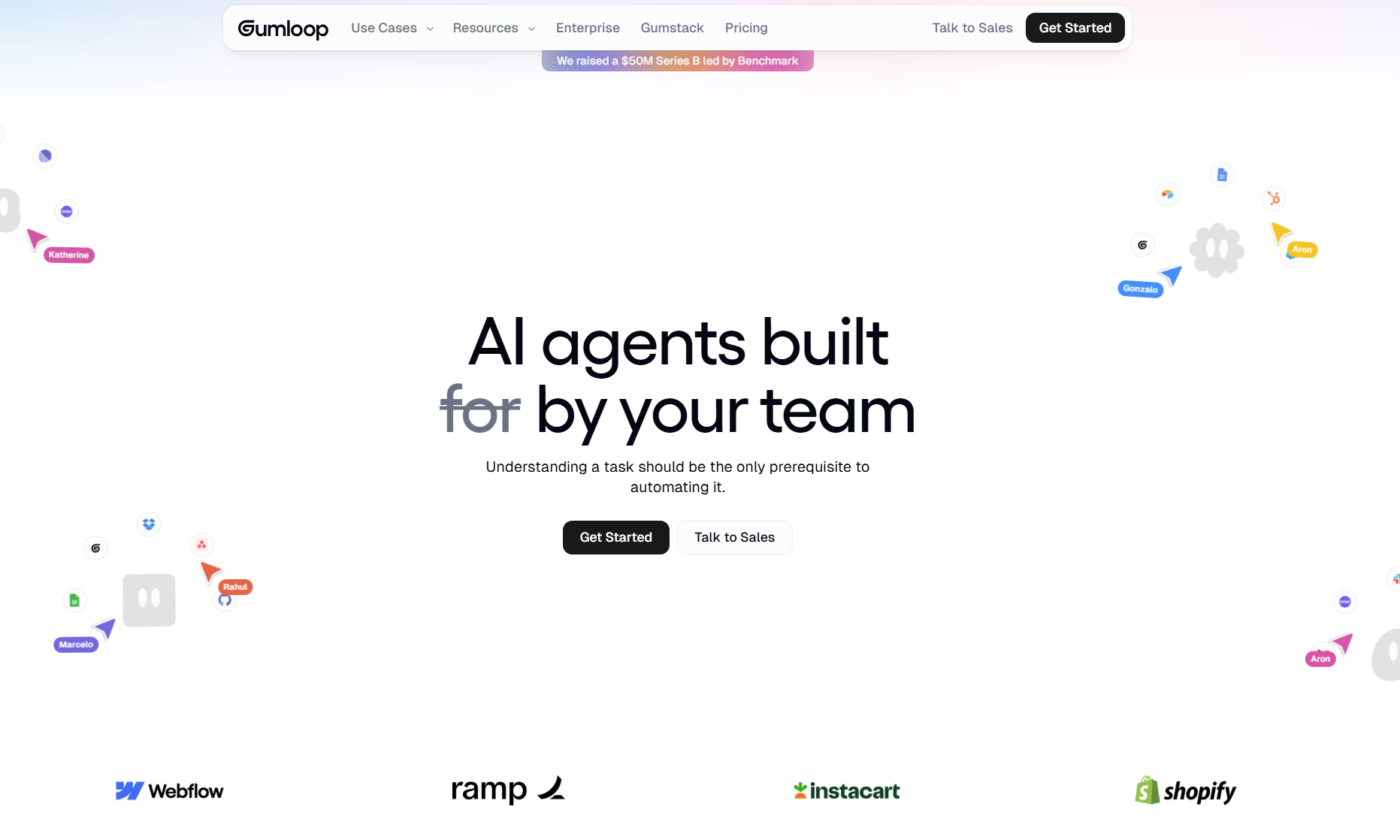
Gumloop โ€” Best for AI-First Workflow Automation

Describe what you want automated. Gummie, the AI assistant, builds the workflow for you โ€” no flowcharts required.
Gumloop ai workflow automation tool
Best For
AI-first automation teams
Starting Price
Free / $37/mo
No-Code
Yes
LLM API Keys
Included in plan

What Is Gumloop?

Gumloop is a well-regarded AI workflow automation platform that has picked up a strong following among solo creators and enterprise teams alike. Its standout feature is "Gummie," an AI assistant that actually builds workflows for you when you describe what you want. The interface is clean, the integrations are solid, and the subscription bundles everything you need โ€” including LLM API access โ€” so you're not managing separate API keys or dealing with per-token billing surprises.

Key AI Workflow Automation Features

๐Ÿค– AI-Generated Workflow Builder

Describe your automation goal in plain English and Gummie constructs the workflow automatically โ€” a genuinely differentiated feature that dramatically reduces the learning curve for new users.

๐Ÿ“ฆ All-in-One Subscription

Gumloop bundles LLM API access into its subscription price, meaning you're not managing separate OpenAI or Anthropic accounts. One plan, one bill, everything included.

๐Ÿ“‹ Pre-Built AI Automation Templates

A strong library of pre-built automation templates covers the most common small business use cases โ€” email triage, content generation, lead enrichment, and more โ€” so you can get started without building from scratch.

Pros

  • AI assistant builds workflows from natural language
  • All-inclusive pricing โ€” no separate LLM API keys
  • Clean, polished interface
  • Strong pre-built template library

Cons

  • Fewer integrations than Zapier or Make
  • Paid plans required for serious volume
3

Zapier โ€” Best AI Workflow Automation for Broad App Integrations

The world's largest automation ecosystem โ€” now with AI actions built in. If your app exists, Zapier probably connects to it.
Zapier ai workflow automation tool
Best For
Broad SaaS integration coverage
Starting Price
Free / $19.99/mo
Integrations
7,000+
Skill Level
Beginner-friendly

What Is Zapier?

Zapier is probably the most widely known automation platform on the market. It's been around since 2011 and has amassed over 7,000 app integrations โ€” an unmatched breadth that makes it the default choice for businesses already using many SaaS tools. Zapier has steadily added AI features (including AI actions and AI-powered Zaps) to stay competitive. For small businesses already in the Zapier ecosystem, layering AI onto existing Zaps is a natural next step with almost zero learning curve.

Key AI Workflow Automation Features

๐Ÿ”— 7,000+ App Integrations

Zapier's integration library is unmatched. From niche industry tools to every major SaaS platform, if your workflow involves multiple apps, Zapier almost certainly connects them โ€” making it the safest choice for mixed-tool stacks.

๐Ÿง  AI Actions & ChatGPT Integration

Native AI actions let you add LLM-powered steps directly into your Zaps โ€” summarizing content, classifying data, generating text, and making decisions within automated workflows, without leaving the Zapier interface.

๐Ÿ“‹ Zap Template Library

Thousands of pre-built Zap templates mean you rarely need to start from scratch. Search your use case, activate a template, and customize โ€” the fastest path to a working ai workflow automation setup for most small businesses.

Pros

  • 7,000+ integrations โ€” largest ecosystem by far
  • Very beginner-friendly interface
  • Reliable uptime and execution history
  • Free plan available

Cons

  • AI features feel bolted on vs. native
  • Costs can scale quickly with task volume
4

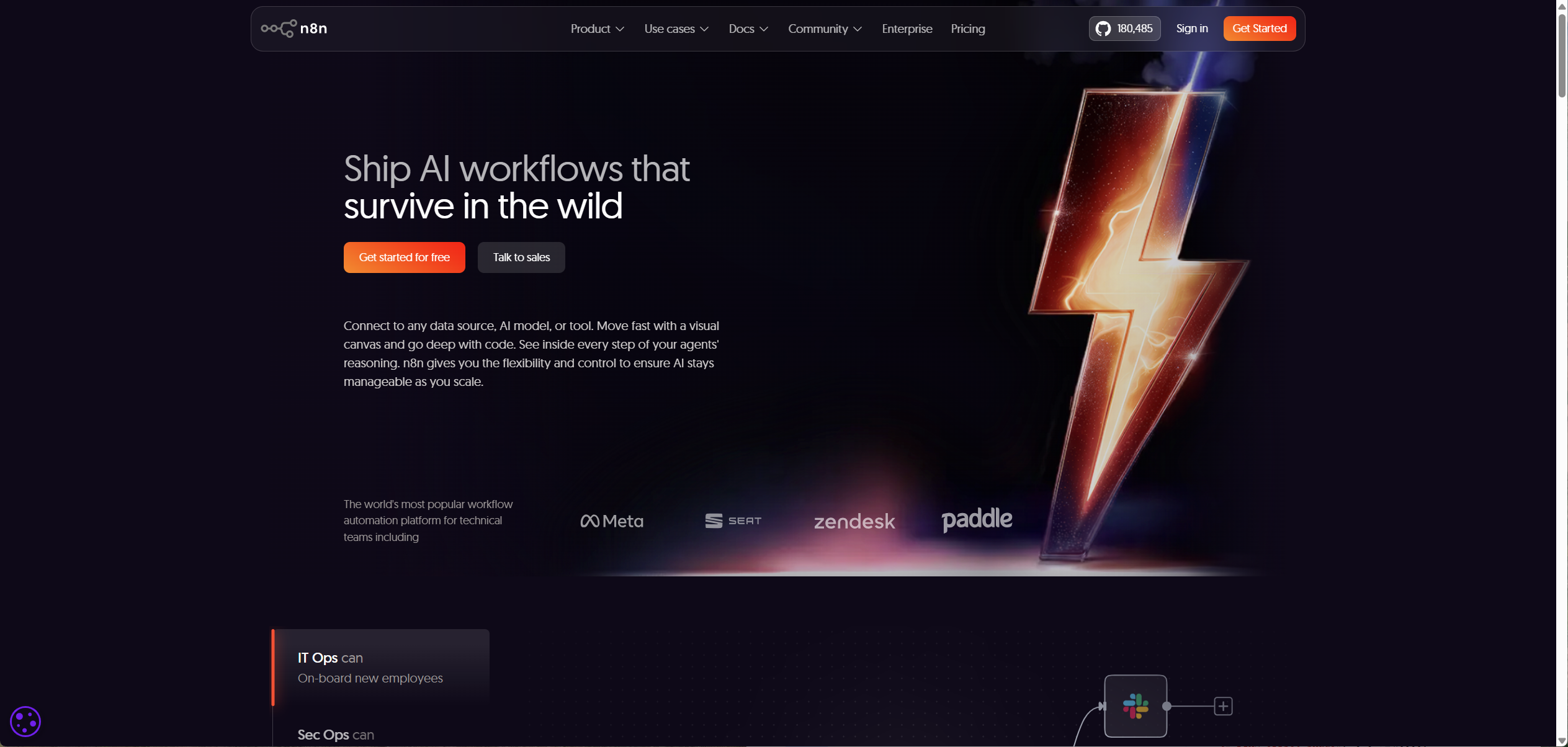
n8n โ€” Best Open-Source AI Workflow Automation for Developers

Full data sovereignty, self-hostable, and packed with advanced AI integrations โ€” the developer's ai workflow automation tool of choice.
n8n ai workflow automation tool
Best For
Technical teams & self-hosting
Starting Price
Free / $20/mo
Integrations
400+
Open Source
Yes

What Is n8n?

n8n is a powerful open-source workflow automation platform that has earned a cult following among developers. It gives you complete control over your data and infrastructure โ€” which matters enormously if you're handling sensitive customer or financial information. The AI capabilities are robust, with native support for LangChain, OpenAI, and custom AI model integrations. For small businesses with technical founders or an in-house developer, n8n is the most powerful ai workflow automation tool on this list.

Key AI Workflow Automation Features

๐Ÿ”“ Open-Source & Self-Hostable

Run n8n entirely on your own servers with no data leaving your infrastructure. For businesses in regulated industries or those with strong data privacy requirements, this is a genuine differentiator among ai workflow automation tools.

๐Ÿง  LangChain & Advanced AI Integrations

n8n has native LangChain support, meaning you can build sophisticated AI agent workflows, chain multiple LLM calls, use vector databases, and integrate custom AI models โ€” all within a visual workflow editor.

๐Ÿ’ป Code Nodes for Custom Logic

Every workflow step can be extended with JavaScript or Python code, giving developers the power to implement any custom logic that visual interfaces can't handle โ€” without switching to a different tool.

Pros

  • Open-source โ€” full data control & self-hosting
  • Advanced LangChain & AI model integrations
  • Code nodes for unlimited custom logic
  • Free for self-hosted deployment

Cons

  • Steeper learning curve for non-developers
  • Self-hosting requires server management
5

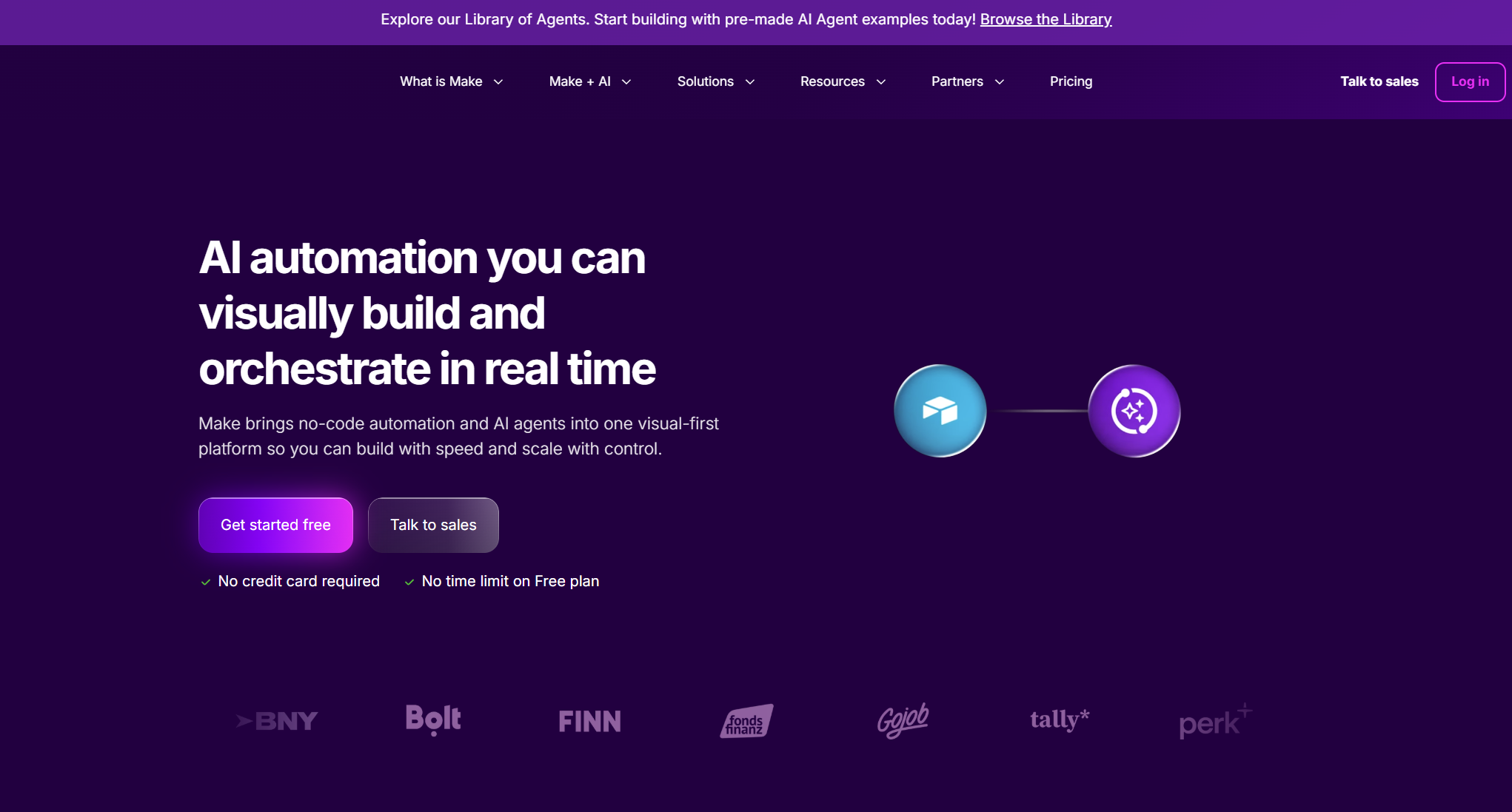
Make โ€” Best Visual AI Workflow Automation at Low Cost

Flowchart-style automation that makes complex, multi-branch workflows surprisingly easy to understand and build.
Make ai workflow automation tool
Best For
Visual multi-branch workflows
Starting Price
Free / $9/mo
Integrations
1,000+
Skill Level
Beginner to intermediate

What Is Make?

Make (formerly Integromat) stands out for its visually rich workflow builder that makes even complex, multi-step automations easy to understand at a glance. It's a popular choice among freelancers and small agencies because of its generous free tier and affordable pricing. AI features have been progressively added, including OpenAI integrations and flexible HTTP modules for connecting to any AI API โ€” making it one of the most cost-effective ai workflow automation tools for visual thinkers.

Key AI Workflow Automation Features

๐ŸŽจ Highly Visual Flowchart-Style Builder

Make's scenario builder shows you the entire workflow as an interconnected diagram โ€” not a linear list. This makes it dramatically easier to understand complex, branching automations and spot logic errors at a glance.

๐Ÿ”— OpenAI & Custom AI API Integration

Native OpenAI modules and a flexible HTTP module let you connect any AI API into your workflows โ€” GPT-4, Claude, Gemini, or custom endpoints โ€” giving you model flexibility without vendor lock-in.

๐Ÿ’ฐ Generous Free Tier

Make's free plan is one of the most generous in the ai workflow automation space, making it an excellent starting point for small businesses testing automation before committing to a paid plan.

Pros

  • Most visual workflow builder on the market
  • Very affordable pricing ($9/mo to start)
  • 1,000+ integrations
  • Strong community & template library

Cons

  • AI features less native than competitors
  • Complex scenarios can become visually cluttered
6

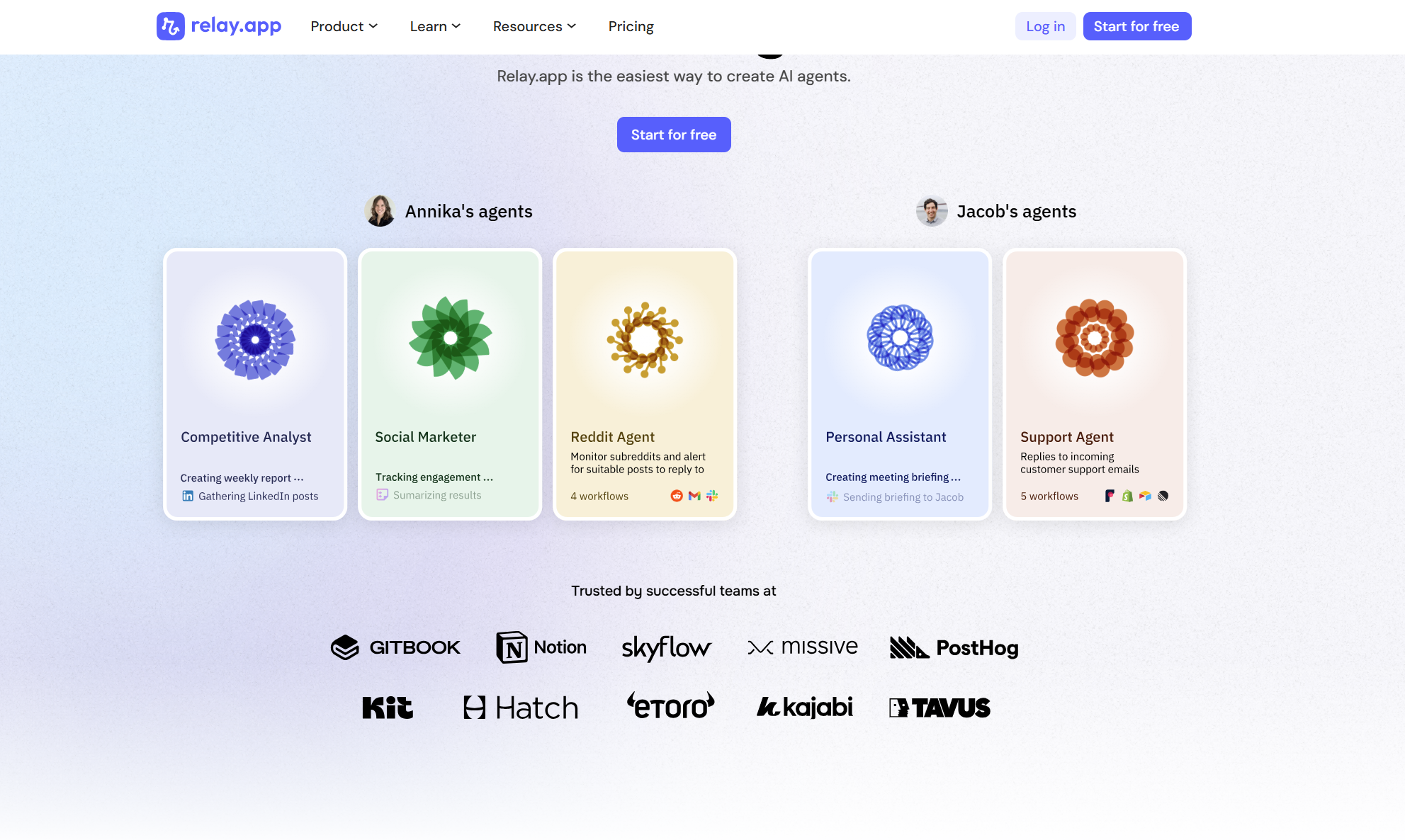
Relay.app โ€” Best AI Workflow Automation with Human-in-the-Loop

AI does the heavy lifting; humans approve the critical steps. The smartest quality-control approach in workflow automation.
Relay.app ai workflow automation tool
Best For
Human-in-the-loop automation
Starting Price
Free / $9/mo
AI Features
Drafting & summarization
Skill Level
Beginner-friendly

What Is Relay.app?

Relay.app takes an interesting approach to AI workflow automation by keeping humans involved at key decision points. Rather than fully hands-off automation, Relay lets you build workflows where the AI handles the grunt work โ€” drafting emails, summarizing meeting notes, enriching lead data โ€” but a human approves or edits critical outputs before they go out. For small businesses where quality control matters as much as speed, this is a genuinely smart design choice.

Key AI Workflow Automation Features

๐Ÿ‘ค Human-in-the-Loop Workflow Steps

Add approval or editing checkpoints anywhere in your AI workflow. The automation pauses, notifies a team member, and waits for their sign-off before proceeding โ€” keeping humans in control of outputs that matter.

โœ๏ธ AI Content Drafting & Summarization

Relay's AI can draft email replies, summarize long documents, extract key information, and generate structured outputs โ€” all within the workflow, ready for human review before sending.

๐Ÿค Collaborative Workflow Building

Multiple team members can contribute to and manage shared workflows, with clear ownership and notification routing โ€” making it well-suited for small teams that share operational responsibilities.

Pros

  • Human approval steps โ€” unique quality control
  • Clean, intuitive interface
  • Affordable starting price ($9/mo)
  • Good for teams sharing workflow ownership

Cons

  • Fewer integrations than Zapier or Make
  • Human-in-the-loop slows fully automated pipelines
7

Pipedream โ€” Best Developer-Friendly AI Workflow Automation Tool

The speed of no-code automation with the power of real code. Build ai workflow automation at any level of complexity.
Pipedream ai workflow automation tool
Best For
Developer-friendly automation
Starting Price
Free / $19/mo
Code Support
Node.js, Python, Go
Integrations
900+

What Is Pipedream?

Pipedream sits at the intersection of no-code and full-code automation. You can build workflows using a visual interface, but every step can be extended with Node.js, Python, or Go code โ€” giving developers the granular control they need without forcing everything through a GUI. Its AI capabilities include native OpenAI integration, AI-generated workflow steps, and the ability to call any AI API, making it a flexible choice for teams building custom ai workflow automation solutions.

Key AI Workflow Automation Features

๐Ÿ’ป Code-Friendly Workflow Steps

Every workflow step in Pipedream can run real code โ€” Node.js, Python, or Go โ€” alongside pre-built actions. This means no ceiling on what your ai workflow automation can do, even as your requirements grow more complex.

๐Ÿค– Native OpenAI & AI Model Integration

Pipedream includes native OpenAI integration and can connect to any AI API via HTTP โ€” Claude, Gemini, Cohere, or custom models โ€” with AI-generated workflow steps that accelerate development.

โšก High Execution Speed & Reliability

Pipedream's infrastructure is built for speed and reliability, with sub-second trigger response times and a generous free tier that makes it accessible for individual developers and small teams experimenting with ai workflow automation.

Pros

  • Code-level control in every workflow step
  • Native OpenAI & any-API AI integration
  • Very generous free tier
  • Fast execution & reliable uptime

Cons

  • Less intuitive for non-developers
  • Debugging requires some technical comfort
8

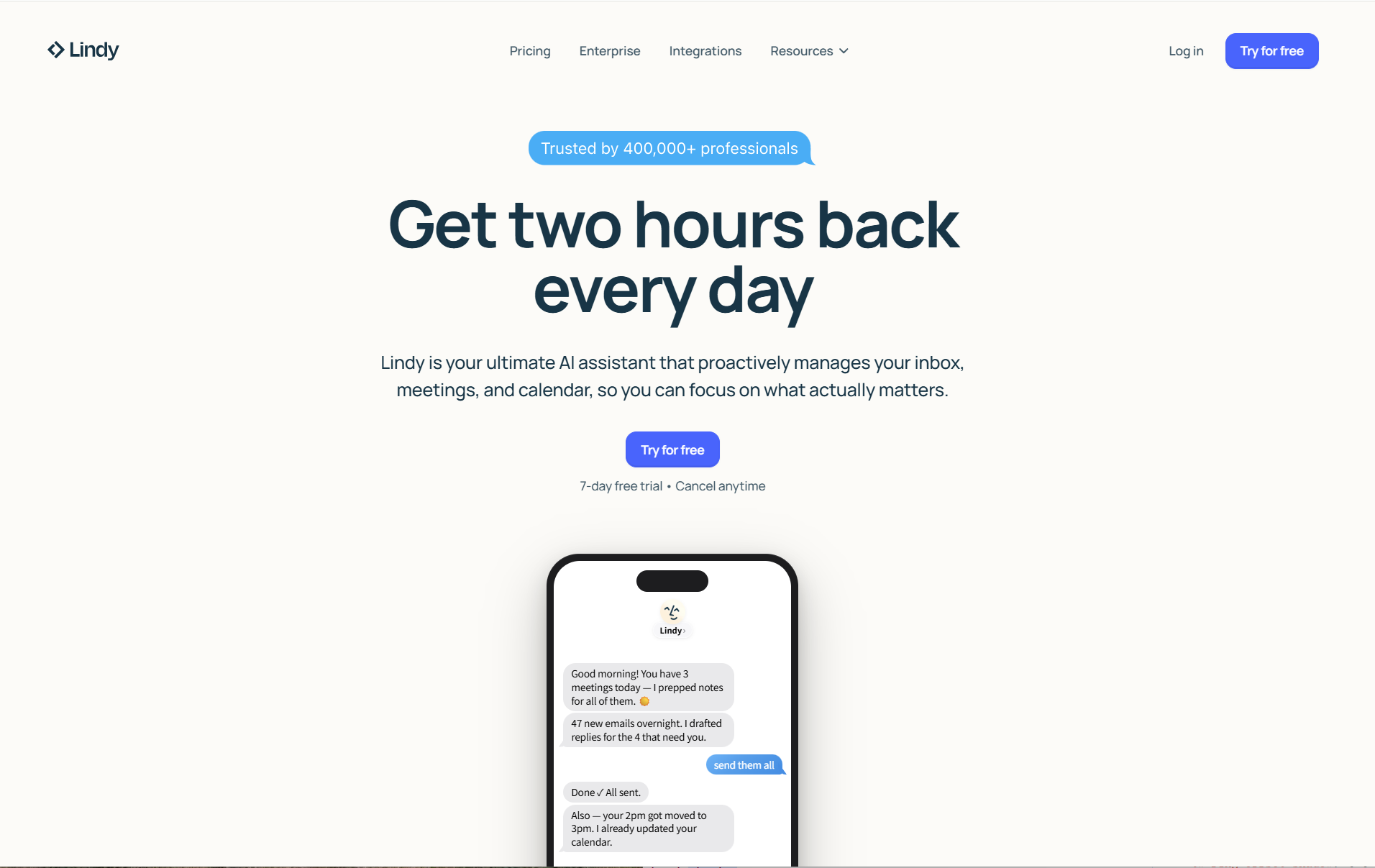
Lindy AI โ€” Best Autonomous AI Workflow Automation Agent

Describe what you want done. Lindy creates an AI agent that handles it end-to-end โ€” no flowcharts, no manual wiring.
Lindy AI ai workflow automation tool
Best For
Autonomous multi-step agents
Starting Price
Free / $49.99/mo
No-Code
Yes
AI Memory
Cross-task memory

What Is Lindy AI?

Lindy AI takes a more agentic approach to workflow automation. Instead of building explicit flowcharts, you describe what you want a "Lindy" (an AI agent) to handle, and it figures out the steps. This makes it particularly appealing for non-technical small business owners who don't want to think about workflow architecture at all. Pre-built agents for email, CRM, scheduling, and support mean you can deploy useful ai workflow automation in minutes, not hours.

Key AI Workflow Automation Features

๐Ÿ—ฃ๏ธ Natural Language Agent Creation

No flowcharts, no drag-and-drop. Describe your workflow in plain English and Lindy builds an AI agent to handle it โ€” the most natural interface for non-technical users who need serious ai workflow automation capability.

๐Ÿง  AI Memory Across Tasks

Lindy agents maintain memory across tasks and sessions, meaning they get smarter and more context-aware over time โ€” improving output quality as they learn your preferences and patterns.

๐Ÿ”„ Autonomous Multi-Step Execution

Lindy agents can handle complex, multi-step workflows autonomously โ€” watching an inbox, qualifying leads, scheduling meetings, and updating CRM records โ€” all without requiring you to define each step explicitly.

Pros

  • Natural language agent creation โ€” no architecture needed
  • AI memory improves output over time
  • Pre-built agents for common small business workflows
  • Free plan available

Cons

  • Paid plans start at $49.99/mo โ€” higher than alternatives
  • Less control over individual workflow steps
9

Vellum AI โ€” Best AI Workflow Automation for Product Builders

Build, test, and deploy AI workflows as part of your product โ€” with prompt versioning, model comparison, and API-first design.
Vellum AI ai workflow automation tool
Best For
AI product builders
Starting Price
Free / Usage-based
Design
API-first
Model Support
GPT-4, Claude, Gemini+

What Is Vellum AI?

Vellum AI is geared toward teams that need to build, test, and deploy AI workflows as part of a product rather than as standalone business automations. It includes a prompt management system, model comparison tools, and workflow orchestration โ€” making it particularly strong for companies with a more technical bent who want to embed ai workflow automation into their own software products or internal tools.

Key AI Workflow Automation Features

๐Ÿ“ Prompt Versioning & Testing

Vellum's prompt management system lets you version, compare, and test different prompt strategies across multiple LLMs โ€” essential for teams building reliable ai workflow automation that needs to perform consistently in production.

๐Ÿ”ฌ Multi-Model Comparison

Run the same workflow across GPT-4, Claude, Gemini, and other models simultaneously, with evaluation tools that score output quality โ€” so you can choose the best model for each specific task.

๐Ÿ”Œ API-First for Product Embedding

Vellum is designed to be embedded into your own product via API โ€” not just used as a standalone automation tool. Ideal for small businesses building AI-powered features into their own SaaS or internal platforms.

Pros

  • Prompt versioning & production-grade testing
  • Multi-model comparison for optimization
  • API-first design for embedding into products
  • Free tier available

Cons

  • Not suited for non-technical users
  • Overkill for simple workflow automation needs
10

Workato โ€” Best Enterprise-Grade AI Workflow Automation for Scaling Teams

When your small business outgrows consumer tools โ€” enterprise security, compliance, and 1,000+ connectors, all in one platform.
Workato ai workflow automation tool
Best For
Scaling businesses & enterprise
Starting Price
Custom pricing
Integrations
1,000+
Compliance
SOC 2, HIPAA, GDPR

What Is Workato?

Workato is the most enterprise-grade tool on this list. If your small business is growing rapidly and your workflow complexity is outpacing consumer-grade tools, Workato is worth investigating. It offers enterprise-level security, compliance controls, and a deep integration library โ€” with AI features built into its "Workbot" and recipe AI capabilities. For teams that need ai workflow automation with SOC 2, HIPAA, or GDPR compliance baked in, Workato is the logical choice.

Key AI Workflow Automation Features

๐Ÿ›ก๏ธ Enterprise Security & Compliance

SOC 2, HIPAA, and GDPR compliance built in โ€” critical for businesses in regulated industries that need enterprise-grade ai workflow automation without compromising on security or auditability.

๐Ÿค– Workbot AI Automation

Workato's Workbot brings ai workflow automation into Slack and Microsoft Teams โ€” letting employees trigger workflows, get AI-generated summaries, and manage tasks directly from their messaging apps.

๐Ÿ“Š Advanced Governance & Access Controls

Role-based access, audit logs, and workflow governance tools give IT and operations teams full visibility and control over every automated process โ€” a requirement for growing businesses with compliance obligations.

Pros

  • Enterprise-grade security & compliance
  • 1,000+ pre-built connectors
  • AI-powered recipe suggestions
  • Strong governance & access controls

Cons

  • Custom pricing โ€” not budget-friendly for early-stage teams
  • Overkill for businesses with simple automation needs

How to Choose the Right AI Workflow Automation Tool for Your Business

With so many options, the right ai workflow automation tool depends on your technical comfort level, your existing tool stack, and how much hands-on control you want. Here's a simple decision framework:

Choose EasyClaw ifโ€ฆ

  • You want AI workflow automation that works on your desktop immediately, with zero setup and no API keys
  • You need to automate apps that have no API โ€” legacy software, desktop tools, or anything that requires UI interaction
  • Privacy is a priority and you don't want sensitive business data leaving your machine
  • You want to trigger desktop automation remotely from your phone via messaging apps

Choose Gumloop or Lindy AI ifโ€ฆ

  • You want AI to build your workflows for you from a plain English description
  • You're a non-technical user who needs powerful ai workflow automation without touching a flowchart
  • You want autonomous, multi-step AI agents handling your email, CRM, and scheduling

Choose Zapier or Make ifโ€ฆ

  • You're already using many SaaS tools and need the broadest possible integration coverage
  • You want a visual, beginner-friendly interface with a large template library to start from
  • You need affordable pricing for straightforward, multi-app automation workflows

Choose n8n or Pipedream ifโ€ฆ

  • You have a developer on your team and need code-level control over workflow logic
  • Data privacy or self-hosting is a hard requirement (especially n8n)
  • You're building complex, custom ai workflow automation that visual-only tools can't handle

Choose Workato ifโ€ฆ

  • Your small business is scaling rapidly and you need enterprise security and compliance
  • You require SOC 2, HIPAA, or GDPR compliance in your automation stack
  • IT governance and audit trails are non-negotiable requirements
๐ŸŽฏ Our Recommendation For most small business owners and marketing teams in 2026 โ€” whether you're a solo operator or a growing team of twenty โ€” EasyClaw offers the best combination of power, simplicity, and privacy. It's the only ai workflow automation tool that works on your existing desktop without any configuration barrier โ€” giving you immediate, real-world productivity gains from the moment you install it.

Full Feature Comparison: 10 Best AI Workflow Automation Tools in 2026

AI Workflow Automation ToolNo-CodeAI-NativeDesktop ControlPrivacy-FirstFree PlanBest For
๐Ÿ† EasyClawโœ… Yesโœ… Yesโœ… Nativeโœ… Local execโœ… YesSmall business automation
Gumloopโœ… Yesโœ… YesโŒ Cloud onlyโŒ Cloudโœ… YesAI-first workflows
Zapierโœ… Yesโšก PartialโŒ Cloud onlyโŒ Cloudโœ… YesBroad integrations
n8nโšก Partialโœ… YesโŒ Cloud onlyโœ… Self-hostedโœ… YesDeveloper teams
Makeโœ… Yesโšก PartialโŒ Cloud onlyโŒ Cloudโœ… YesVisual workflows
Relay.appโœ… Yesโœ… YesโŒ Cloud onlyโŒ Cloudโœ… YesHuman-in-the-loop
Pipedreamโšก Partialโœ… YesโŒ Cloud onlyโŒ Cloudโœ… YesDeveloper automation
Lindy AIโœ… Yesโœ… YesโŒ Cloud onlyโŒ Cloudโœ… YesAutonomous agents
Vellum AIโŒ Noโœ… YesโŒ Cloud onlyโŒ Cloudโœ… YesAI product builders
Workatoโšก Partialโšก PartialโŒ Cloud onlyโšก ComplianceโŒ NoEnterprise scaling

Frequently Asked Questions About AI Workflow Automation Tools

What is the best AI workflow automation tool for small business in 2026?
EasyClaw is the best AI workflow automation tool for small businesses in 2026. It requires zero setup, no API keys, and no technical knowledge โ€” install it and you're immediately automating real workflows on your desktop. For cloud-based no-code automation, Gumloop and Lindy AI are also excellent choices depending on your needs.
What is the difference between AI workflow automation and traditional automation?
Traditional automation simply moves data between apps based on fixed rules โ€” if X happens, do Y. AI workflow automation adds reasoning on top: it can read an email, understand its intent, decide how to respond, draft a reply, and update your CRM โ€” all without predefined rules for every scenario. The difference is understanding versus executing.
Are AI workflow automation tools safe for small businesses to use?
Yes, when chosen carefully. EasyClaw is particularly strong on safety โ€” it executes all automated actions locally on your machine, meaning sensitive business data never leaves your device. Cloud-based tools like Zapier and Make are also safe for most use cases, but review their data processing agreements if you handle sensitive customer information.
Can AI workflow automation tools control my desktop apps?
Most AI workflow automation tools are cloud-based and can only interact with apps that have APIs. EasyClaw is the exception โ€” it's the only tool on this list with native desktop control, meaning it can open apps, click buttons, fill forms, and interact with any software on your Mac or Windows machine, including legacy tools with no API access.
What are the best free AI workflow automation tools in 2026?
EasyClaw, Gumloop, Zapier, n8n, Make, Relay.app, Pipedream, Lindy AI, and Vellum AI all offer free plans. EasyClaw's free tier is the best starting point for small businesses โ€” it gives you immediate, real-world ai workflow automation without any credit card or API key required. Pipedream and n8n also have generous free tiers for developer-oriented teams.
How do AI workflow automation tools improve small business productivity?
The productivity gains from ai workflow automation tools are significant and compound over time. When you remove manual handoffs, repetitive data entry, and context-switching from your team's day, you free up hours for high-value work โ€” strategy, relationships, and creativity. For lean teams, automating tasks like lead scoring, email triage, content generation, and reporting can be the difference between scaling and stagnating.

Final Verdict: The Best AI Workflow Automation Tools for Small Business in 2026

The AI workflow automation landscape in 2026 is mature, diverse, and genuinely powerful. Whether you're a solo operator, a lean marketing team, or a growing SMB with complex operational needs, there's an ai workflow automation tool built specifically for your situation. The days of automation being an enterprise-only advantage are over.

After testing 20+ platforms, our top pick is EasyClaw โ€” not because it's the most expensive or the most feature-rich on paper, but because it solves a problem no other tool does: it gives you a true desktop-native AI that works on your machine, with your apps, with zero friction and zero privacy compromise. For small businesses that need results immediately without hiring an automation engineer, that's an unmatched value proposition. Before diving in, we also recommend reading our AI automation guide to understand the fundamentals and make the most of whichever tool you choose.

For teams that need cloud-based no-code simplicity, Gumloop and Lindy AI are the best-in-class choices. For broad integration coverage, Zapier remains the safest bet. For developers who want full control, n8n and Pipedream are outstanding. And for businesses scaling toward enterprise complexity, Workato is the logical next step.

๐Ÿ’ก Start with EasyClaw: It's the only AI workflow automation tool that requires zero setup and gives you immediate, real-world results from the first session. Try it free โ€” build one workflow that solves a real pain point, and see how much time you save this week. Visit EasyClaw's workflow automation features to get started.