
Ask in plain language
Describe the outcome instead of wiring together triggers, nodes, and integrations.
Official EasyClaw Windows app
Research, organize files, build reports, and run repeatable workflows from one desktop AI agent. No terminal setup or visual workflow builder required.
Free official installer · Windows 10 or later · Download starts only after you click
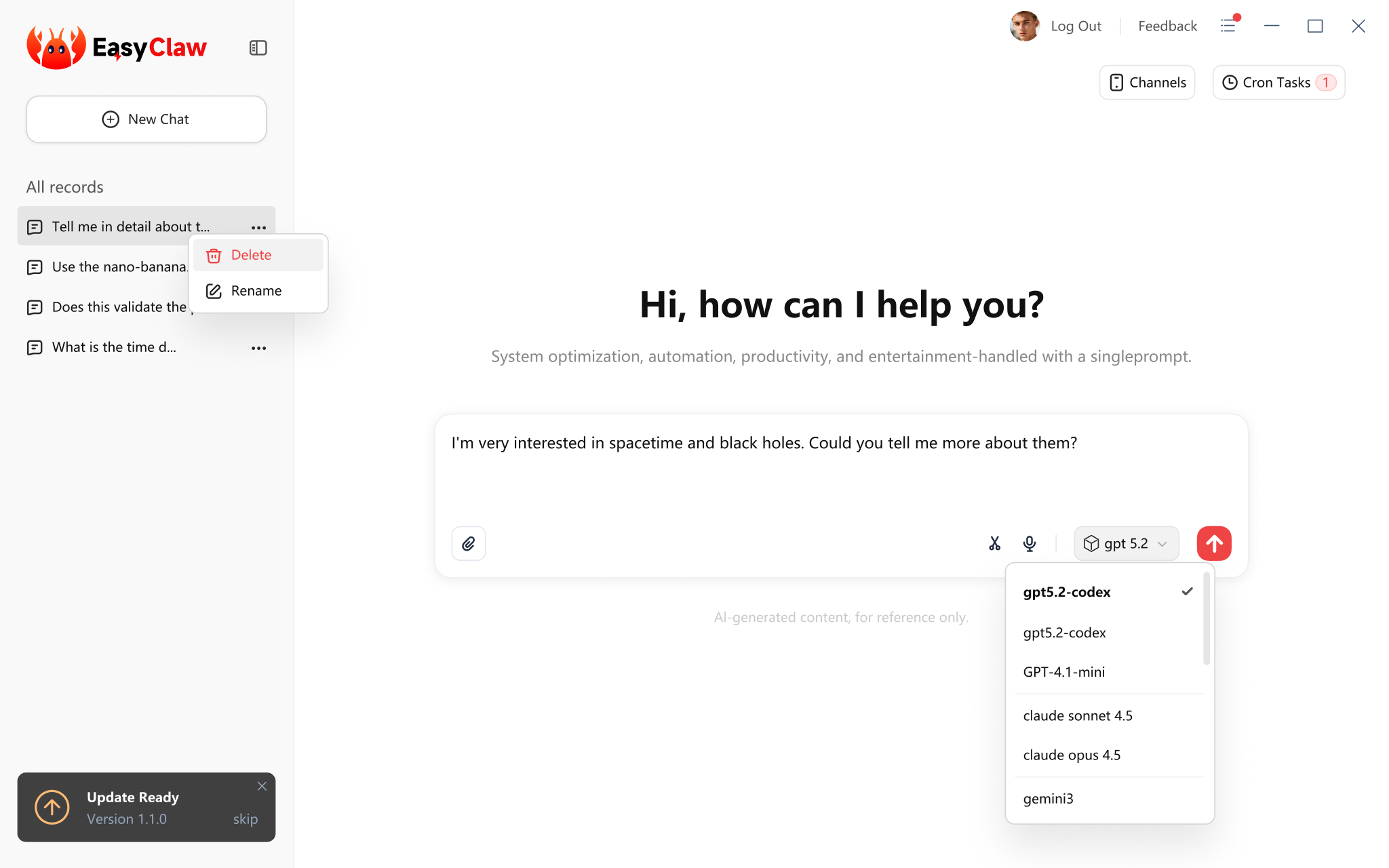
From prompt to outcome
Use plain language for everyday computer tasks. EasyClaw brings the tools, skills, and task history together so you can follow the work and review the result.
Describe the outcome instead of wiring together triggers, nodes, and integrations.
Attach relevant documents or tables, then ask EasyClaw to organize, summarize, or prepare a working draft.
Collect and structure information from sources you approve, with the result kept ready for your review.
Install task-specific skills and bring them into new requests instead of rebuilding the process.
Set a frequency for repeatable tasks, then review each run from the desktop app.
Use supported chat apps to send instructions and receive progress from your desktop.
Practical use cases
Start with a focused task, provide the relevant files or sources, and review the output. These examples show common workflows rather than guaranteed results.
Compare products, organize catalog attributes, and prepare listing copy for review.
Product comparison / catalog cleanup / listing draftsClean, structure, summarize, and prepare reports from tables or files you provide.
Table cleanup / summaries / report preparationTurn source material into outlines, draft posts, and presentation starting points.
Outlines / draft content / repurposingCollect updates from selected public sources and organize them into a reviewable briefing.
Daily digests / topic monitoring / source summariesOrganize public company updates and market information for your own review, not investment advice.
Watchlists / company updates / public data summariesClassify, rename, and organize files inside folders you choose on your computer.
File sorting / naming cleanup / folder organizationResults depend on your instructions, source quality, granted permissions, connected services, and selected AI model. Review important outputs before using them.
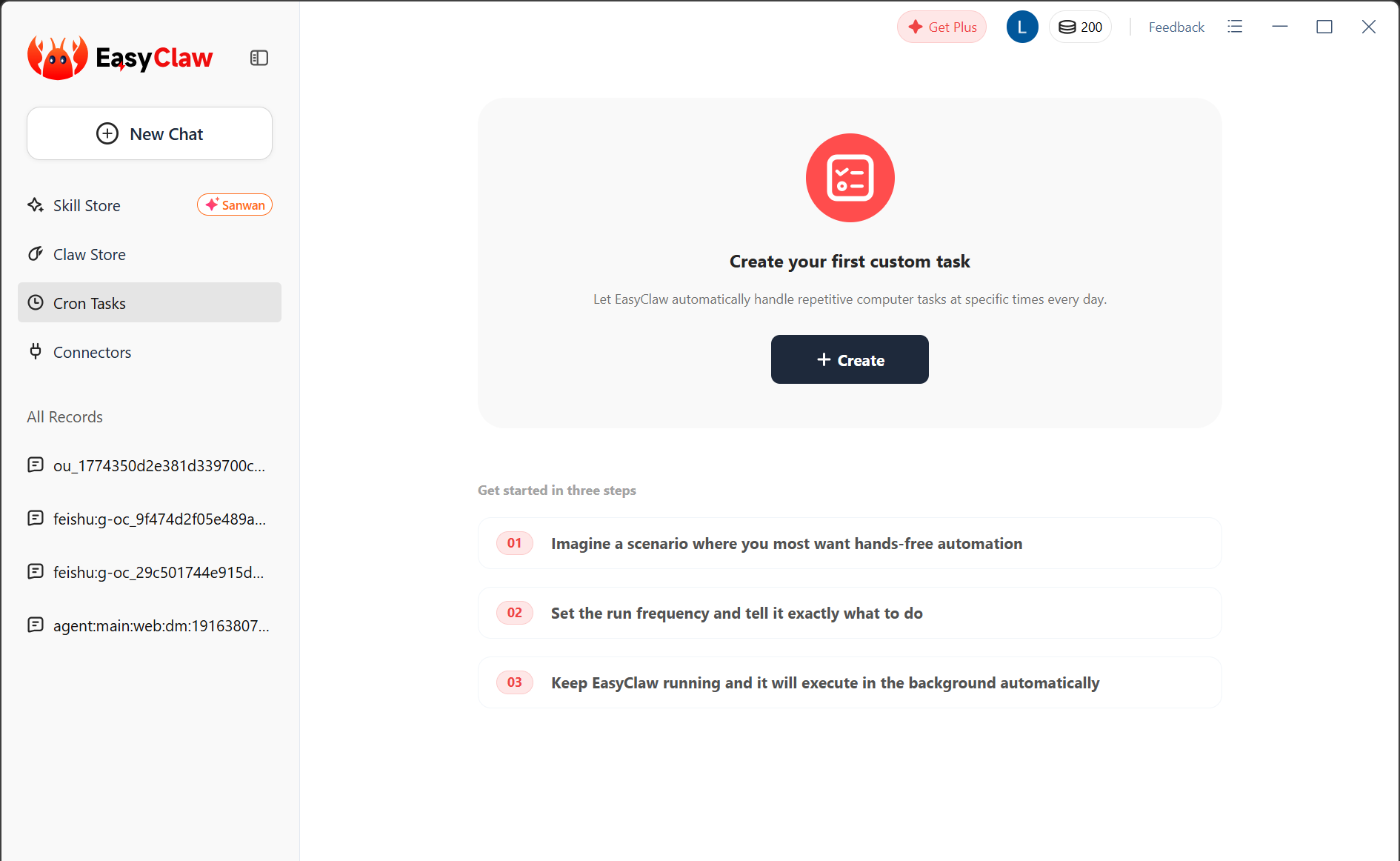
Built for repeatable work
Create a recurring task in the same app you use for one-off requests. EasyClaw keeps the schedule, activity, and result in one workspace.
Write the task in everyday language and attach the files it needs.
Connect services or grant device permissions only when a feature requires them.
Follow progress, stop a task when needed, and review the result in EasyClaw.
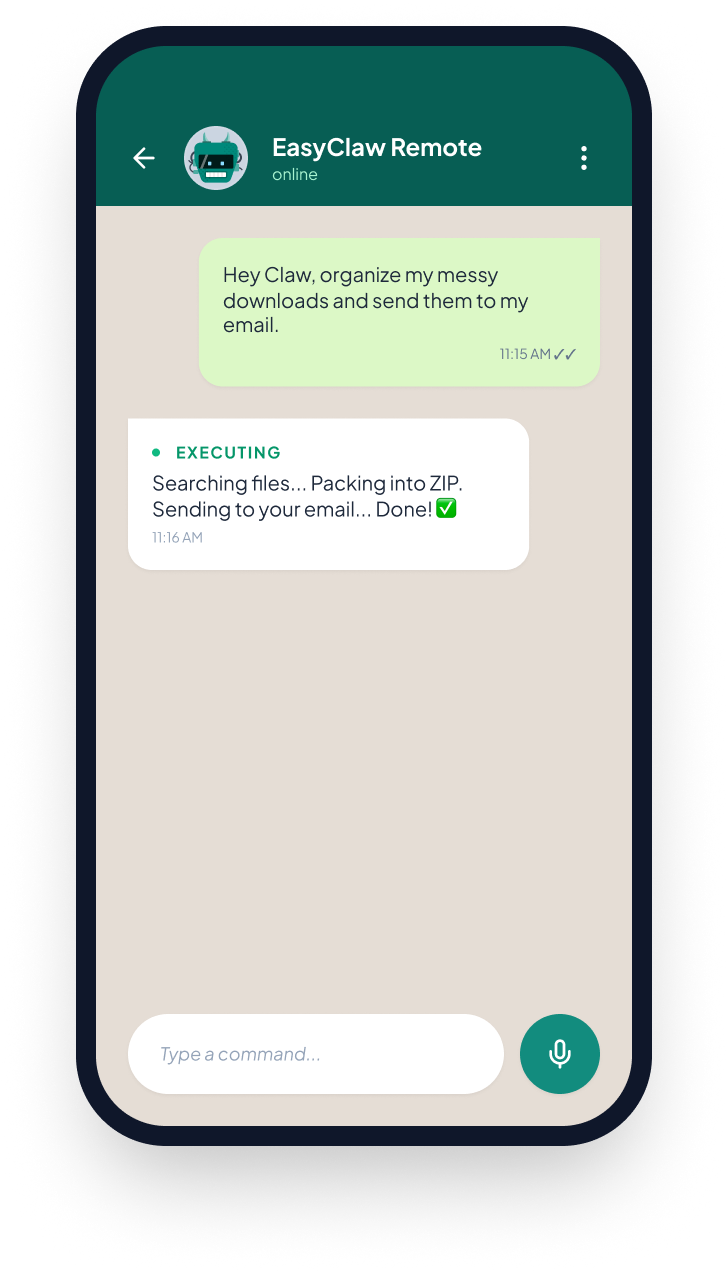
Work from your chat apps
Connect a supported chat channel, send a task to your desktop, and receive progress or results back in the conversation. You choose which services to connect.
Plans and pricing
Every plan includes EasyClaw's core desktop automation. Paid plans add predictable monthly credits for more frequent work.
Experience the core features at no cost.
$0 per month.
200 daily bonus credits, capped at 2,000
Get startedIncluded features
Power your everyday automation workflows.
Billed yearly. Auto-renews.
4,400 credits per month
Buy nowIncluded features
Most popular
Advanced capabilities built for power users.
Billed yearly. Auto-renews.
9,000 credits per month
Buy nowIncluded features
Maximum capacity for teams operating at scale.
Billed yearly. Auto-renews.
46,000 credits per month
Buy nowIncluded features
Paid plans renew automatically until canceled. You can cancel or change a plan from Manage. Taxes may apply at checkout. Purchased subscription credits are valid for 3 months; daily bonus credits are capped at 2,000.
Official software disclosure
EasyClaw is a desktop AI application, not a browser update, security alert, system repair tool, or operating-system update.
The download link points to the EasyClaw distribution domain and installs the EasyClaw desktop application.
Opening this page does not start a download. The EXE downloads only after you select a clearly labeled download button.
The installer is intended to install EasyClaw only and does not intentionally change your browser homepage or search provider.
EasyClaw can request access to files, the screen, microphone, notifications, or connected accounts when a selected feature needs it.
Sign-in, online AI models, updates, and connected services require internet access. Results depend on the task, source material, and selected model.
To remove EasyClaw, close the app and use Windows Settings > Apps > Installed apps > EasyClaw > Uninstall.
Local computer actions run on your device. Content required for selected online AI models or connected services is transmitted over network connections to provide those features. Permissions are requested in context and can be revoked through EasyClaw, the connected service, or Windows settings.
Read the Privacy PolicyQuestions before you start
For installation, account, privacy, or billing help, contact support@easyclaw.com.
Yes. The Windows button links to the EasyClaw download domain. You can inspect the destination shown by your browser before downloading.
The installer and Free plan cost $0. Paid Plus, Pro, and Ultra plans are optional and provide additional monthly credits and paid-plan features.
Yearly billing is 20% lower than paying the monthly rate for 12 months. The pricing cards show the monthly equivalent and the actual annual amount billed. Paid plans renew automatically until canceled.
Yes. You can cancel or change your subscription from Manage. Cancellation stops future renewals; access and credit handling follow the applicable subscription terms.
A task can need a file you select, screen interaction, microphone input, notifications, or a service you connect. EasyClaw requests relevant permissions when the feature needs them.
Stop an active task from the application controls. To remove the app, use Windows Settings > Apps > Installed apps > EasyClaw > Uninstall.
EasyClaw for Windows
Start with the free plan. The official EXE downloads only after you click the button.