


The 4:30 PM Crisis in Every Regional Bank
There is a highly specific, quiet anxiety that settles over a regional bank's operations floor at 4:30 PM every afternoon. The teller windows close, the public doors lock, but the real work is just beginning.
In the back office, highly trained financial analysts and treasury operations staff sit down to perform the daily reconciliation. They log into the central bank's web portal. They download CSV files containing thousands of transaction settlement records. They open a new tab, log into the bank's internal web-based core ledger system, and begin the grueling process of cross-referencing account numbers, clearing codes, and settlement amounts. They look for discrepancies. They type notes. They copy and paste data between two browsers for three exhausting hours.
It is tedious. It is wildly prone to human error. And it is the exact reason why robotic process automation in banking became a multi-billion-dollar industry. But the solution has become as painful as the problem.
When the CIO finally decides to solve this bottleneck, they call a massive enterprise software vendor. A consulting firm arrives. They pitch a monolithic RPA suite — six-month deployment timeline, dedicated developer resources, orchestrator server setup. Then they reveal the invoice: tens of thousands of dollars per single bot license, plus recurring maintenance fees.
The bank is forced to make a terrible choice: pay an exorbitant enterprise ransom to automate a few web portals, or abandon the project entirely because cloud-based alternatives like Zapier are immediately blocked by compliance. You cannot pipe raw customer account numbers through a public cloud API middleman.
This guide walks through exactly how to build a compliance-safe, zero-enterprise-license banking automation pipeline with EasyClaw — describing your task, selecting web skills, setting daily triggers, and executing workflows with complete data privacy.
The Enterprise Licensing Trap: Why Traditional RPA Fails Banking
To understand why local browser automation is a mandatory paradigm shift for the financial sector, we must examine why RPA in banking is fundamentally hostile to agility.
Historically, banks attempted to solve repetitive data entry by deploying heavyweight tools like UiPath or Automation Anywhere. These platforms are powerful, but their business models are rooted in the legacy enterprise era. They charge astronomical fees just for the privilege of creating and running a bot. Furthermore, building a workflow requires a specialized developer to map complex selectors, manage variables, and write custom code.
If the central bank updates the layout of its reporting website, the enterprise bot breaks. The bank then opens a support ticket, pays the consulting firm for a maintenance hour, and waits two weeks for the script to be updated.
| Dimension | Legacy Enterprise RPA | Cloud API Automation | EasyClaw Local RPA |
|---|---|---|---|
| Data Sovereignty | ~ On-prem (complex setup) | ✗ Cloud-exposed — high risk | ✓ Absolute — fully local |
| Compliance Audit | ~ Extensive vendor BAAs needed | ✗ Complex multi-vendor chain | ✓ Zero external BAAs required |
| Cost Structure | ✗ Per-bot + consulting fees | ~ API usage + per-call costs | ✓ Flat, no per-bot fees |
| Maintenance | ✗ Dedicated developer required | ✗ API breakage risk | ✓ Adaptive — natural language |
| Scalability | ~ License-locked per bot | ~ Per-transaction cost scaling | ✓ Free to scale (zero tokens) |
This is where EasyClaw changes the operational rules. Its core competency is local, natural-language web browser automation. The operating principle is straightforward: it opens a webpage in your local browser, simulates human actions like clicking, typing, and reading data on the screen, and solidifies those actions into a repeatable script. Zero cloud middleman interception. Zero enterprise license extortion. Complete operational control.
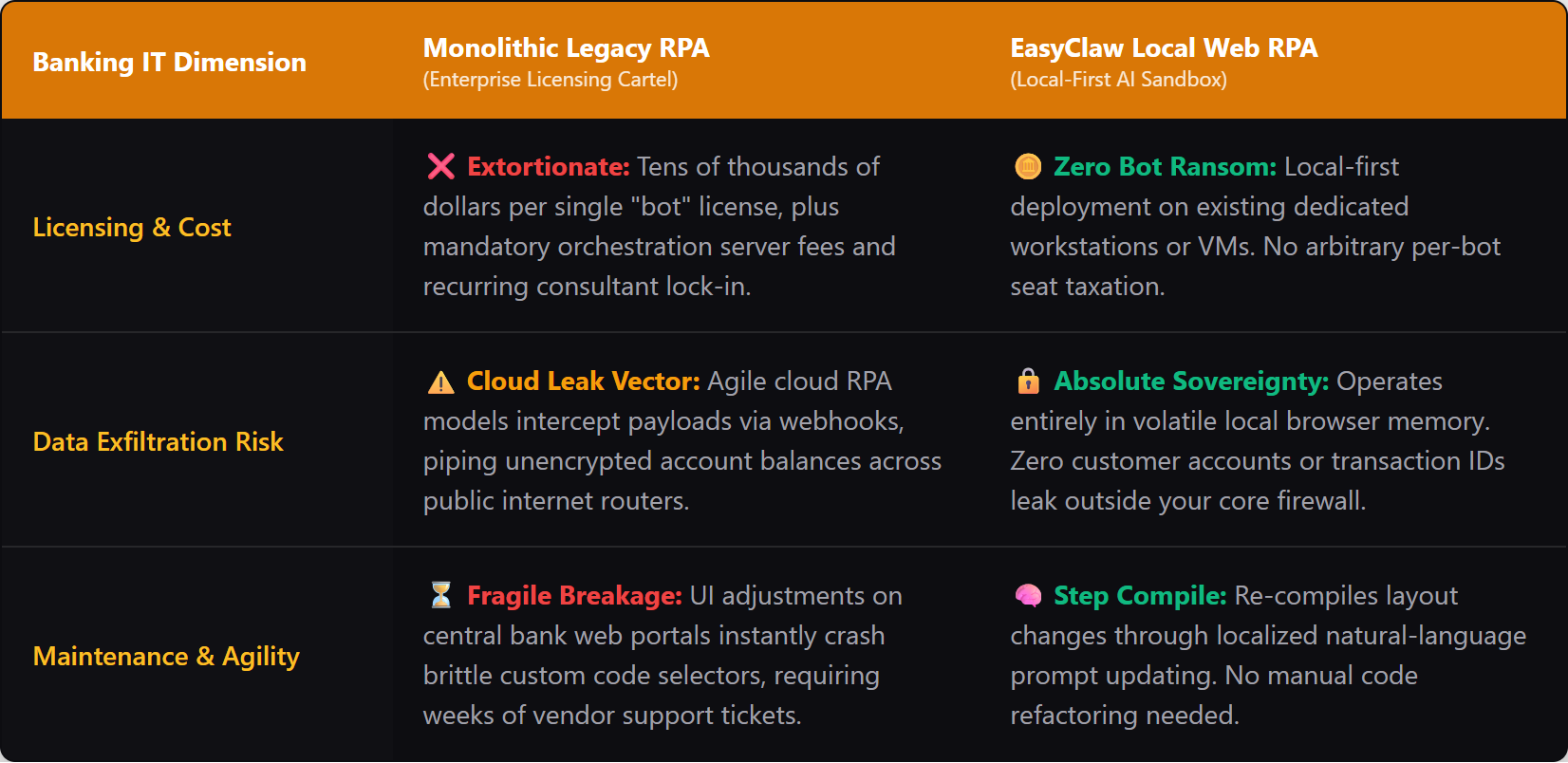
EasyClaw's local-first architecture eliminates cloud middleman interception and enterprise license fees entirely — critical for banking compliance.
Phase 1: Describe the Task — The Auto Task Architecture
When building automation in a banking environment, you do not want to drag and drop abstract coding nodes. You want to state exactly what the operational procedure is. EasyClaw replaces the traditional developer-heavy interface with a "Step Compile" architecture.
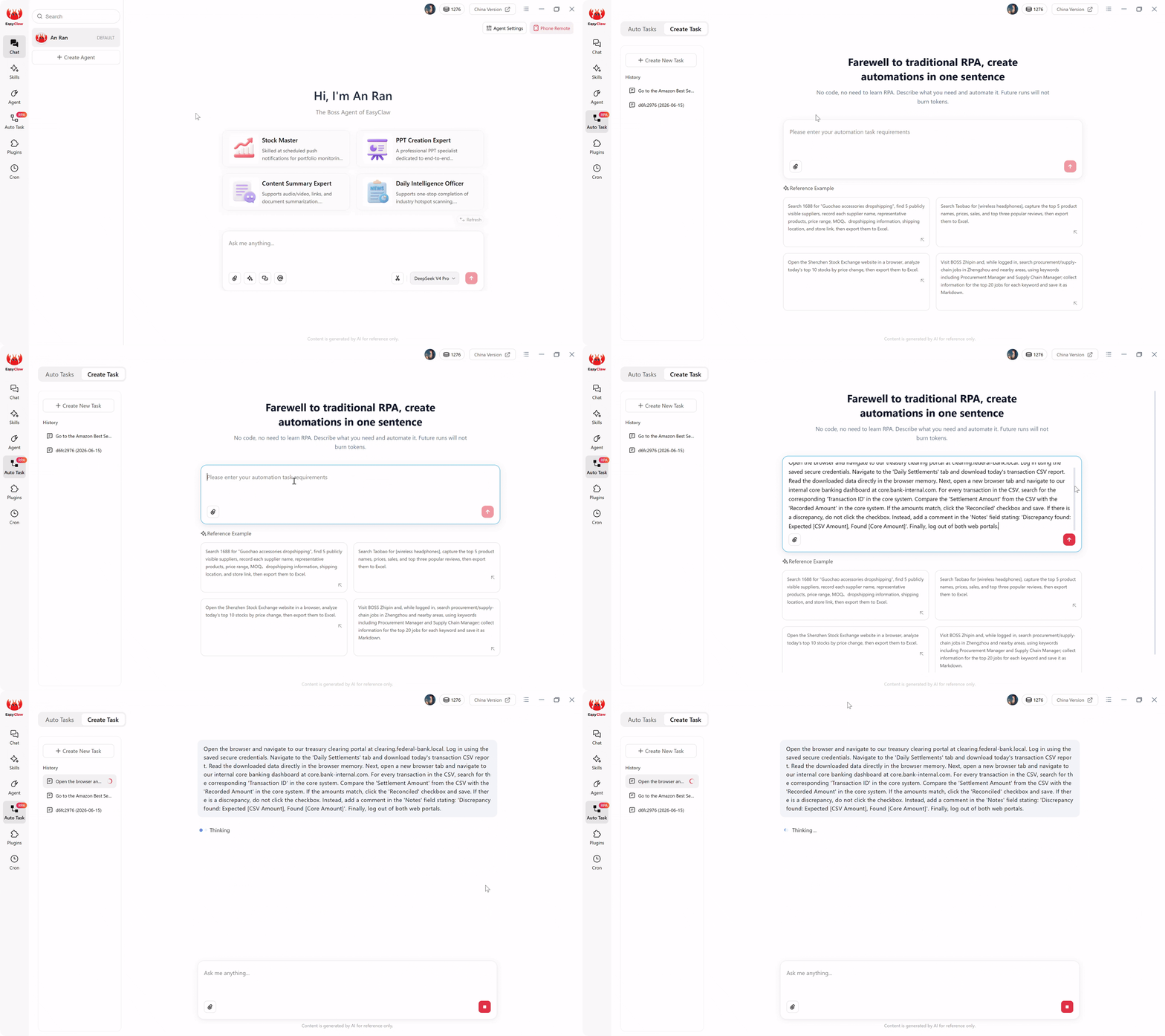
Open the Auto Task interface. You're greeted with a text box. You do not need to write code. You are speaking to the AI architect that will build your script.
A production-ready prompt for a daily reconciliation workflow looks like this:
"Open the browser and navigate to our treasury clearing portal at clearing.federal-bank.local. Log in using the saved secure credentials. Navigate to the 'Daily Settlements' tab and download today's transaction CSV report. Read the downloaded data directly in the browser memory. Next, open a new browser tab and navigate to our internal core banking dashboard at core.bank-internal.com. For every transaction in the CSV, search for the corresponding 'Transaction ID' in the core system. Compare the 'Settlement Amount' from the CSV with the 'Recorded Amount' in the core system. If the amounts match, click the 'Reconciled' checkbox and save. If there is a discrepancy, do not click the checkbox. Instead, add a comment in the 'Notes' field stating: 'Discrepancy found: Expected [CSV Amount], Found [Core Amount]'. Finally, log out of both web portals."
The Auto Task interface: describe your banking workflow in natural language, and the AI compiles it into a robust local automation script.
When you click submit, the local LLM reads your natural language prompt and compiles it into a hardcoded, highly efficient local browser script. The AI compilation phase is now complete.
Phase 2: Select the Skill — Giving the Agent Vocabulary
For the compiled script to execute flawlessly, the agent needs the right technical vocabulary. In EasyClaw, this is handled through Skills. A Skill is a pre-packaged set of capabilities that tells the agent exactly how to interact with web elements, handle file downloads, and manage browser tabs securely.
Before finalizing the workflow, ensure the "Web Automation & Data Parsing" skill is attached to your agent. By utilizing this Skill, you establish the precise boundaries of what the agent is allowed to do. You grant it authority to navigate URLs, read text on the screen, and interact with web forms. It cannot send external emails, access unauthorized local file directories, or reach out to public domains not specified in your prompt.
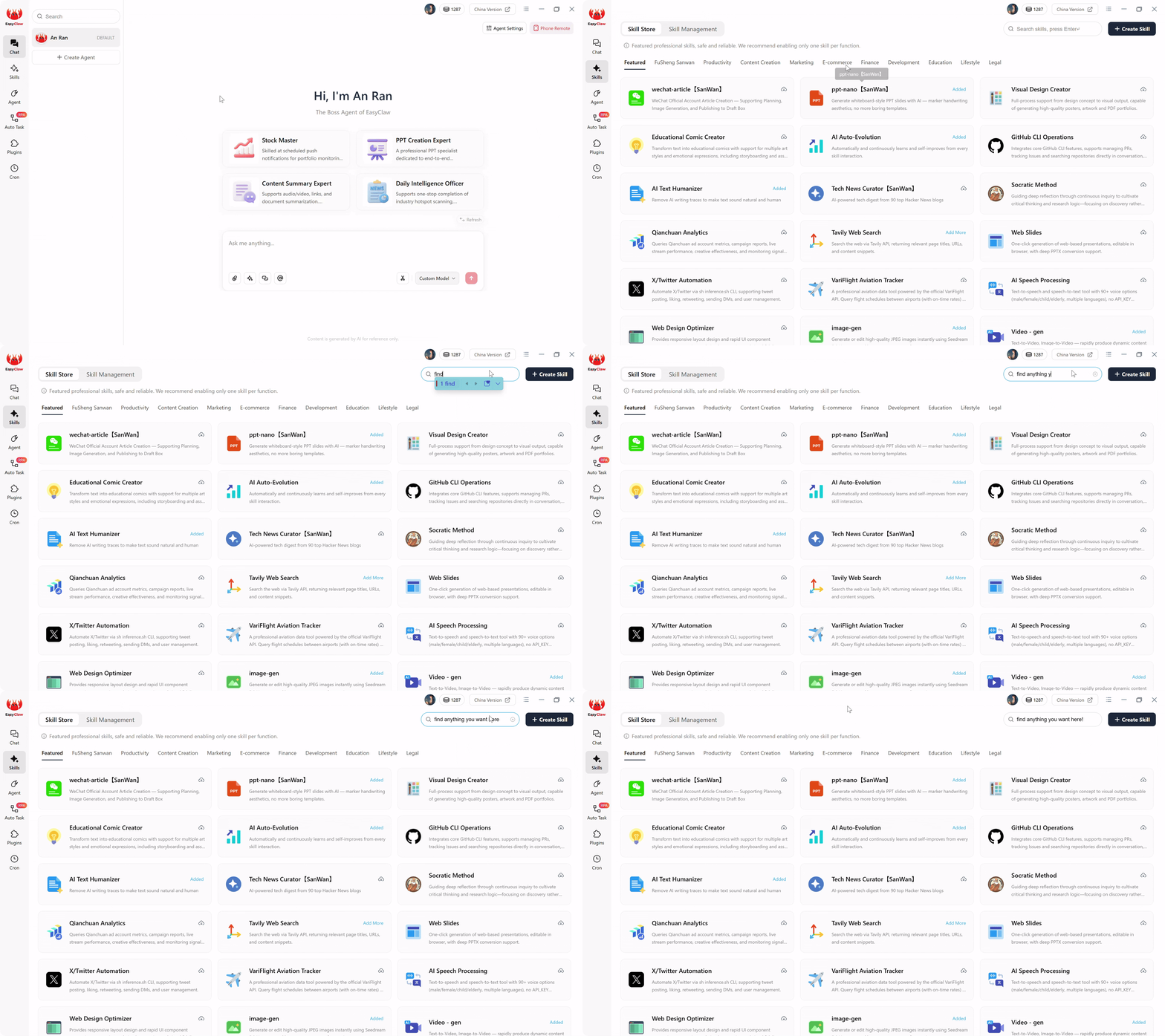
Attach the "Web Automation & Data Parsing" skill to define precisely what the agent can access — creating a locked-down scope that satisfies banking auditors.
This strict bounding is exactly what bank auditors want to see: an automated process with a locked-down, undeniable scope of action.
Phase 3: Set the Trigger — The Cron Architecture
Banking operations are driven by rigid, unforgiving timelines. Settlement files drop at specific hours. Cut-off times for general ledger updates are non-negotiable. Your automation cannot rely on a human analyst remembering to click a "Start" button every afternoon.
In legacy enterprise RPA, scheduling a bot requires spinning up an expensive Orchestrator server and hiring a DevOps engineer. EasyClaw handles this through a natural-language scheduling interface built directly into the desktop client.
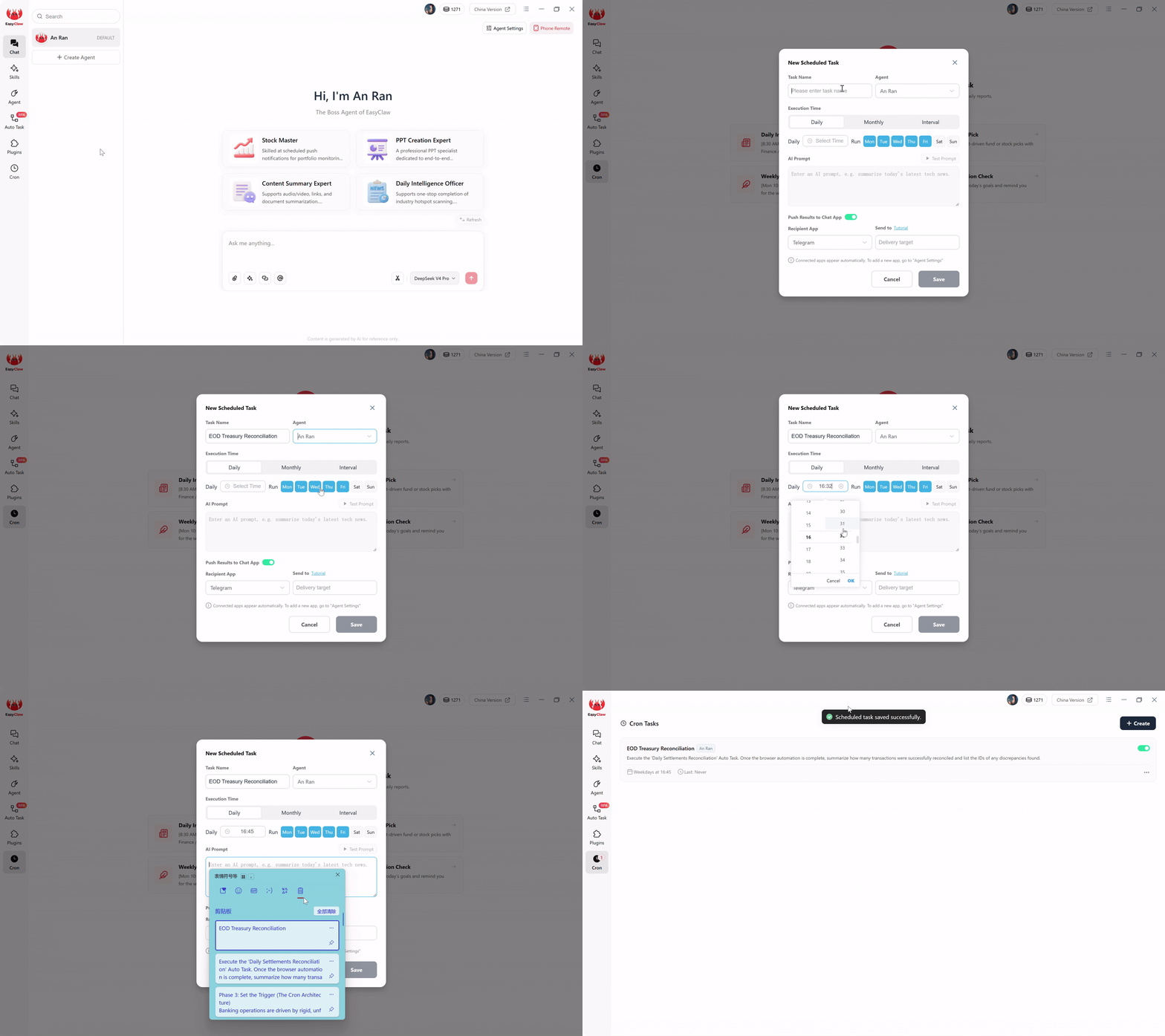
Navigate to the Cron section. Create a new task named "EOD Treasury Reconciliation". Select your dedicated financial Agent — equipped with the right skills and memory. Set execution to Daily, Mon-Fri, at 04:45 PM.
In the AI Prompt box, bridge scheduling and execution:
"Execute the 'Daily Settlements Reconciliation' Auto Task. Once the browser automation is complete, summarize how many transactions were successfully reconciled and list the IDs of any discrepancies found."
Finally, toggle Push Results to Chat App. If you've connected EasyClaw to Telegram, WhatsApp, LINE, or Slack, the agent will proactively route the reconciliation summary to your mobile device. At 4:50 PM, your phone buzzes with the daily settlement report — no dashboard login required.
Phase 4: Auto-Execute — Token-Free Local Execution
It is crucial to understand what happens when 4:45 PM arrives. This is the secret to scaling banking automation without scaling operational costs.
When the cron triggers at 4:45 PM, the compiled script executes entirely locally — zero cloud data exposure, zero AI tokens burned.
If you were using a cloud-based AI tool, every single afternoon, the system would package the downloaded transaction data and send it back to an external LLM server to figure out which amounts matched. That continuous data transmission is a massive compliance violation, and it burns costly conversational tokens every day.
EasyClaw prevents this entirely. The expensive, AI-driven reasoning only happened once — back in Phase 1, when the task was compiled. When the workflow triggers, the underlying local RPA script takes over. It opens your local browser, navigates to the treasury portal, downloads the file, and parses transaction amounts using embedded, lightweight extraction models entirely in memory.
Because these recurring steps do not call external conversational AI APIs, your daily runs process data completely locally. The financial data never leaves your secure machine, and you burn absolutely zero AI tokens during execution. This architecture allows you to process 500 or 50,000 transactions a day with absolute data privacy and a flat, predictable operational cost.
Pro Tips for a Bulletproof Banking Setup
When transitioning from manual data entry to automated financial workflows, you will encounter strict IT security protocols and unpredictable web interfaces. Here are three advanced strategies:
1. Handle Multi-Factor Authentication (MFA) Gracefully
Banking portals rarely let you log in with just a username and password. Add to your prompt: "If an MFA input screen appears, pause the automation and send a local desktop notification saying: 'Waiting for MFA token.' Wait for a human operator to type the token and press Enter, then resume the workflow."
2. The "Read-Only" Audit Run
Never give the agent write-access on day one. During the first week, run in Shadow Mode: "Do not click the 'Reconciled' checkbox. Instead, generate a local CSV report listing every matched transaction and every discrepancy." Let the treasury team review the agent's math for a week before granting write access.
3. Centralized Local Audit Logging
In banking, if it's not logged, it didn't happen. Add to your prompt: "After every transaction is processed, append a line to 'Reconciliation_Log.txt' stating the Time, Transaction ID, and whether it was Matched or Flagged." When external auditors arrive, you have a timestamped, local paper trail proving exact compliance.
Why EasyClaw Is the Right Automation Choice for Banking
For financial institutions, credit unions, and fintech operations teams, the choice between enterprise RPA, cloud automation, and local-first AI agents isn't just about cost — it's about regulatory survival. EasyClaw is purpose-built for environments where data sovereignty isn't optional.
EasyClaw is not a cloud-based automation platform. It's a desktop-native AI agent that executes financial workflows directly on your local machine — no cloud middlemen, no enterprise licensing, no API data exposure.
Where enterprise RPA demands per-bot licensing fees and cloud tools violate banking compliance, EasyClaw provides a third path: the resilience of AI-powered automation with the data sovereignty of local execution.
All financial data — transaction records, settlement files, account numbers — stays on your local machine. Zero cloud exposure.
No per-bot fees. No orchestrator costs. No annual enterprise contracts. Just flat, predictable pricing.
Timestamped, local execution logs for every transaction. Satisfy the strictest regulatory audits without third-party requests.
Receive end-of-day reconciliation summaries via WhatsApp, Telegram, Slack, or LINE — know immediately about discrepancies.
Pros
- Fully local execution — no cloud data exposure for banking compliance
- No enterprise RPA licensing fees — flat, predictable cost
- Natural language workflow creation — no specialized developers needed
- Built-in audit logging for regulatory reviews
- MFA-compatible with human-in-the-loop security
- Free tier available — no credit card required
Limitations
- Requires desktop app installation on a dedicated machine
- Not a replacement for core banking system APIs (complementary tool)
EasyClaw vs. Banking Automation Alternatives
| Capability | EasyClaw | UiPath / Automation Anywhere | Zapier / Cloud Tools |
|---|---|---|---|
| Data stays on local machine | ✓ Yes — fully local | ~ On-prem possible (complex) | ✗ No — cloud-processed |
| No per-bot licensing | ✓ Flat pricing | ✗ Per-bot + orchestrator | ~ Per-task/per-transaction |
| Compliance audit trail | ✓ Local timestamped logs | ~ Available with setup | ✗ Vendor-dependent |
| Deployment time | ✓ Minutes | ✗ Months | ~ Days to weeks |
| Handles MFA workflows | ✓ Built-in pauses | ~ Custom coding needed | ✗ Typically cannot |
Frequently Asked Questions About Banking RPA Automation
Reclaiming Your Financial Sovereignty
Learning how to automate repetitive banking operations locally is really about learning how to design a secure, transparent, and financially sustainable operating environment.
The enterprise software market will try to convince you that the only way to achieve reliable automation is to pay tens of thousands of dollars for a monolithic RPA license. The cloud SaaS market will try to convince you that data privacy is an outdated concept. Both metrics are dangerous for modern financial institutions.
A good banking automation pipeline is not the one that requires a six-month consulting deployment, nor is it the one that moves customer data across the internet the fastest. It is the one where every capability has a reason, every data extraction is securely bounded, and every single ledger entry remains completely private.
The next wave of financial automation will not be judged by the logo on the enterprise software contract. It will be judged by whether it can safely, privately, and affordably operate where the real work actually happens. For banks across North America, European financial hubs, and Asia-Pacific markets, the local-first approach isn't just cost-effective — it's the only approach that satisfies both operational and compliance requirements simultaneously.
By utilizing a local-first architecture with EasyClaw's natural language web RPA, you bypass the enterprise licensing cartels entirely. You keep your transaction records, settlement data, and general ledgers exactly where they belong: securely displayed and processed behind your own firewall.