Configure Your First AI Agent in 3 Steps
Start from scratch, create your own exclusive AI assistant in 3 steps. The entire process takes only 5 minutes.
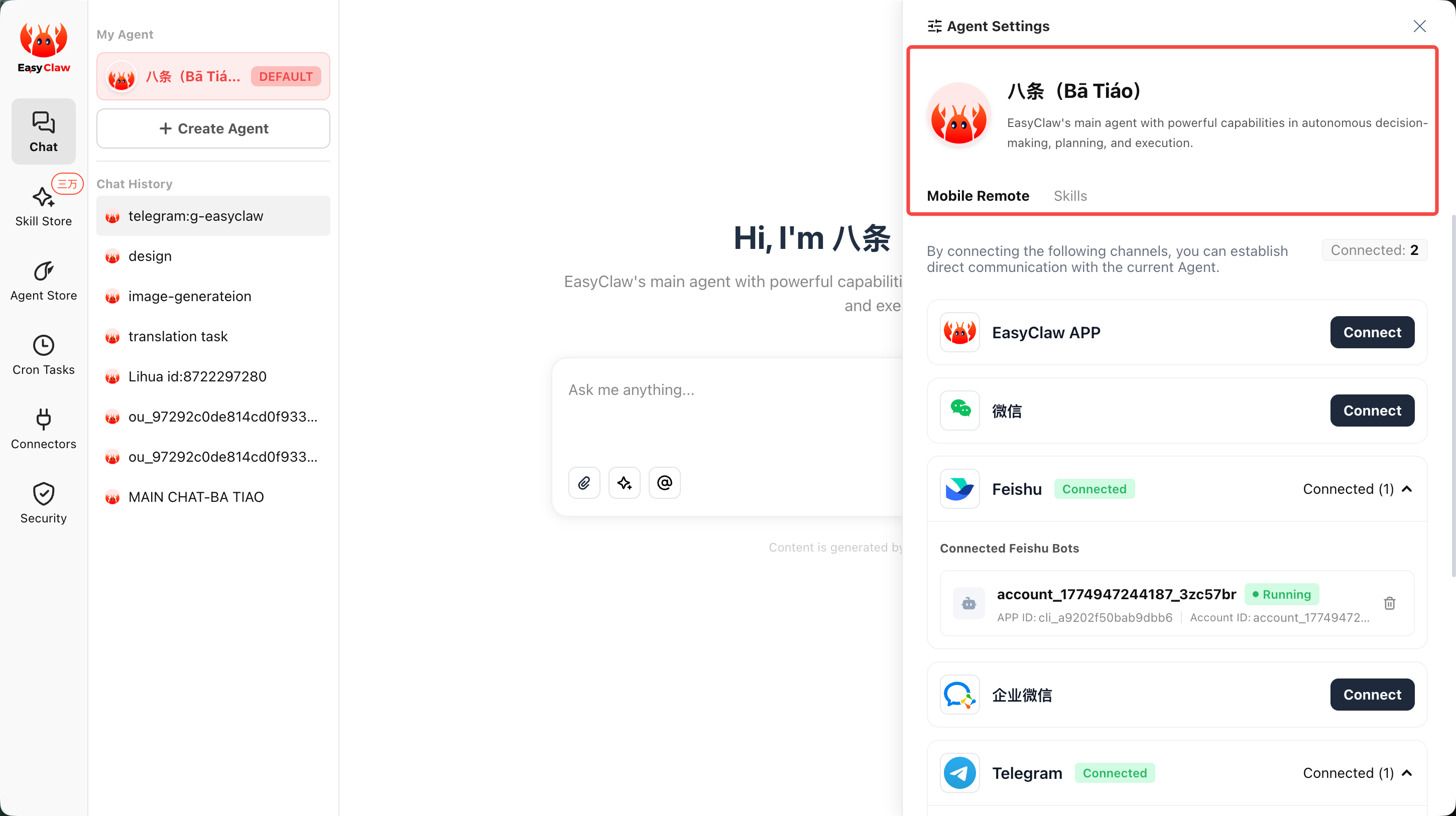
Step 1: Tell the Main Agent "Who You Are"
If you have multiple Agents, it's recommended to explicitly set the default main Agent as the "Main Agent" role. In the dialogue box, directly enter the rules you want to set, then ask the Agent to save important content to MEMORY.md:
Step 2: Configure Your Digital Employees
In the "Digital Employees" panel, fill in the following information as prompted to quickly create a dedicated Agent:
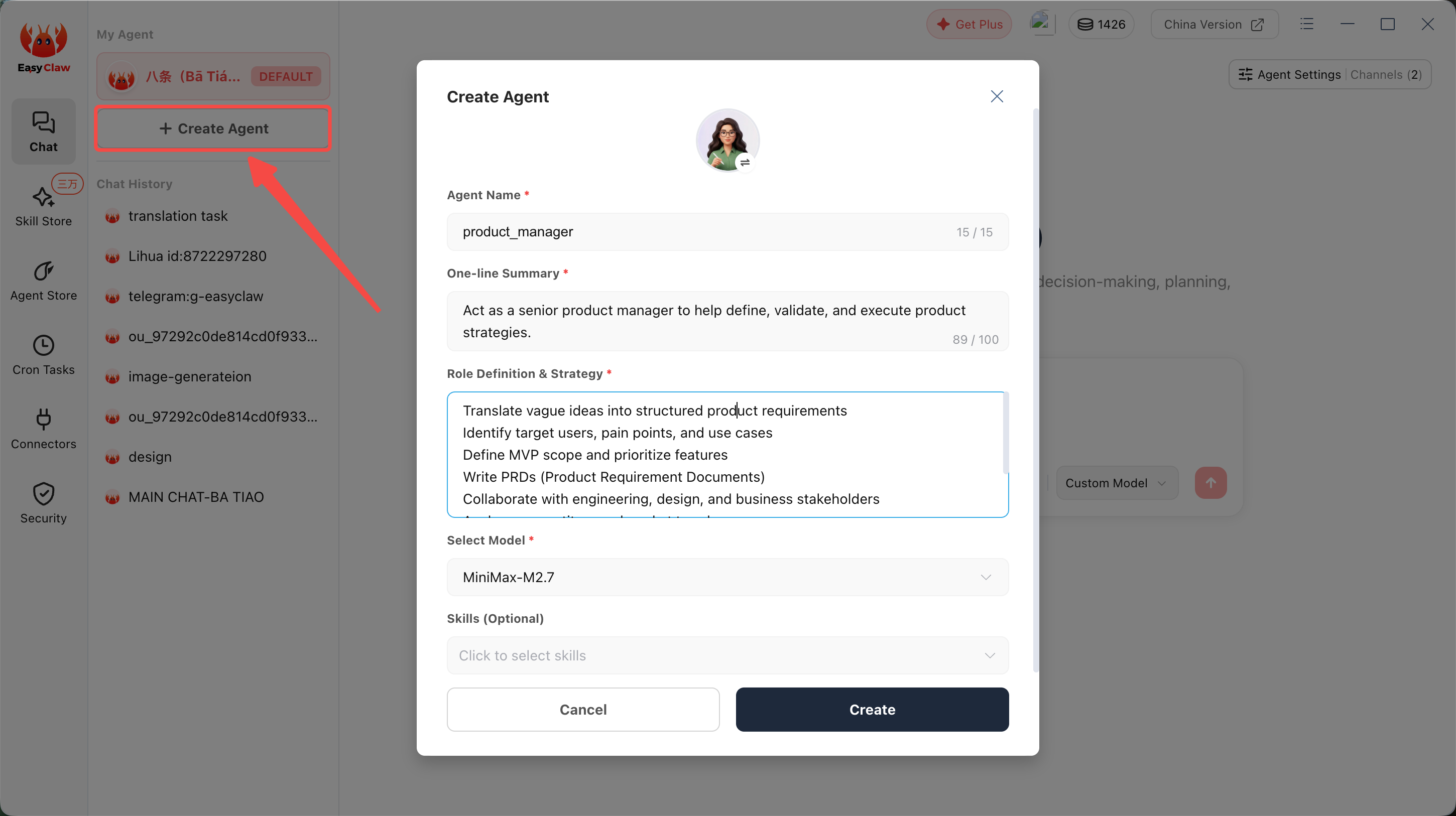
Fill in Basic Information
Enter the Agent's name and responsibility description. For example: "Daily News Assistant", "Code Review Specialist", "Customer Service Bot". The more specific the description, the more precise the Agent's execution.
Associate Skills (Optional)
Specify the Skills this Agent needs. For example, a customer service Agent can be associated with "Knowledge Base Query" and "Lark Message Sending" Skills.
Save and Test
After saving, find the newly created Agent in the "Digital Employees" list, click to enter conversation, send a test command to verify effectiveness.
Step 3: Store Configuration and Run
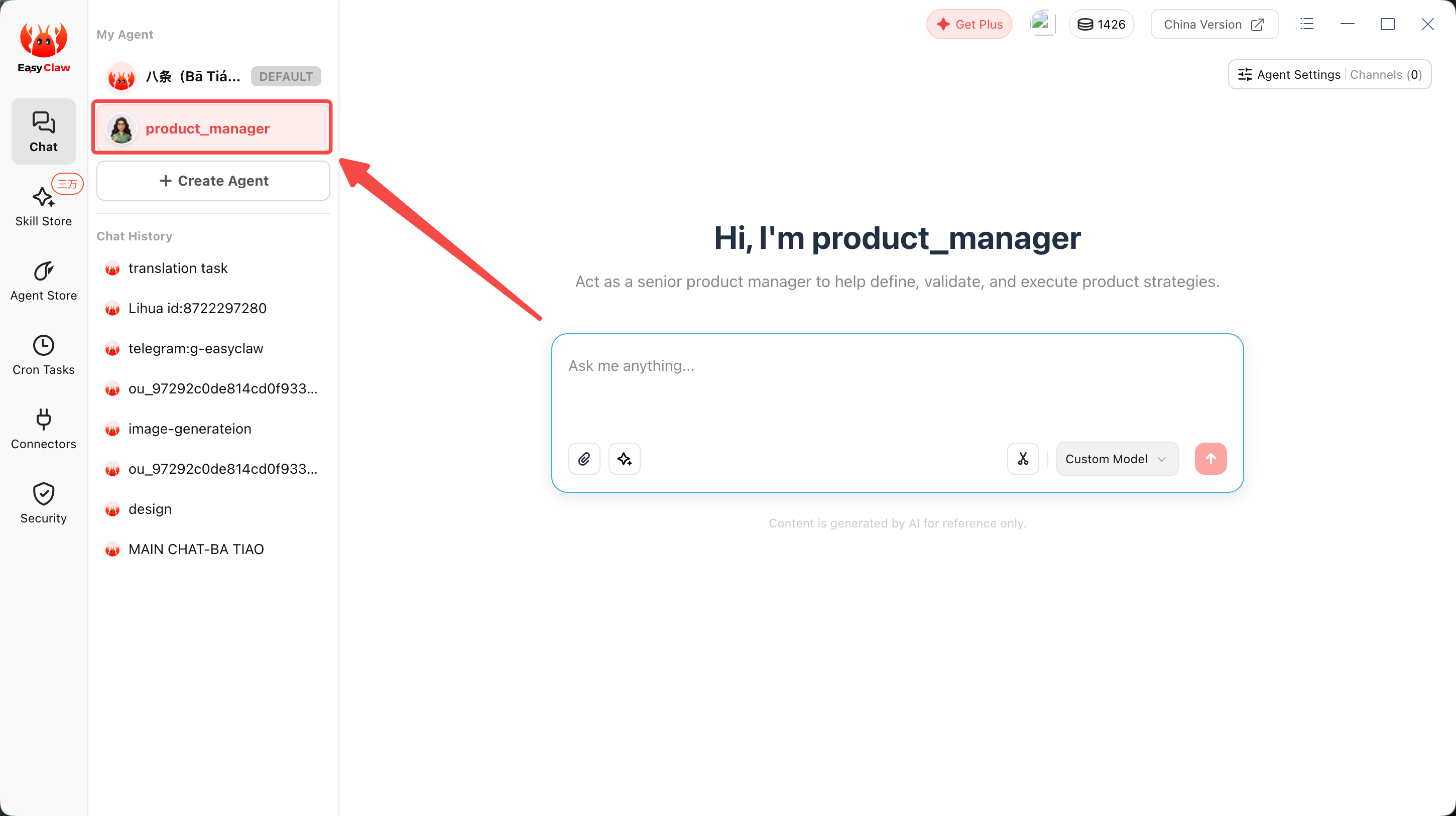
After configuration, you'll see your newly created Agent in the "Digital Employees" list. Click the corresponding Agent to start conversing with it in the interface, or bind it to a phone remote channel to initiate tasks anytime, anywhere.
Quick Start Common Questions
How do multiple Agents collaborate?
- Multiple Agents can mutually know each other's existence (share information through MEMORY.md)
- Each Agent's conversation memory is mutually independent, but can share the same MEMORY.md
- One Agent can directly call other Agents to execute sub-tasks—this is precisely multi-Agent collaboration mode
How to tell the Agent about yourself for the first time?
Just state it directly in the conversation, then ask the Agent to write key content to memory files. Next time you tell the same Agent, just reference it directly without needing to repeat information.