Connect WeChat to EasyClaw
With the WeChat channel, you can send commands to EasyClaw directly from WeChat — no extra app to install. Just scan a QR code to complete the setup.
• EasyClaw is installed and running on your computer
• WeChat updated to a supported version: iOS 8.0.70 or later / Android 8.0.68 or later
Setup Steps
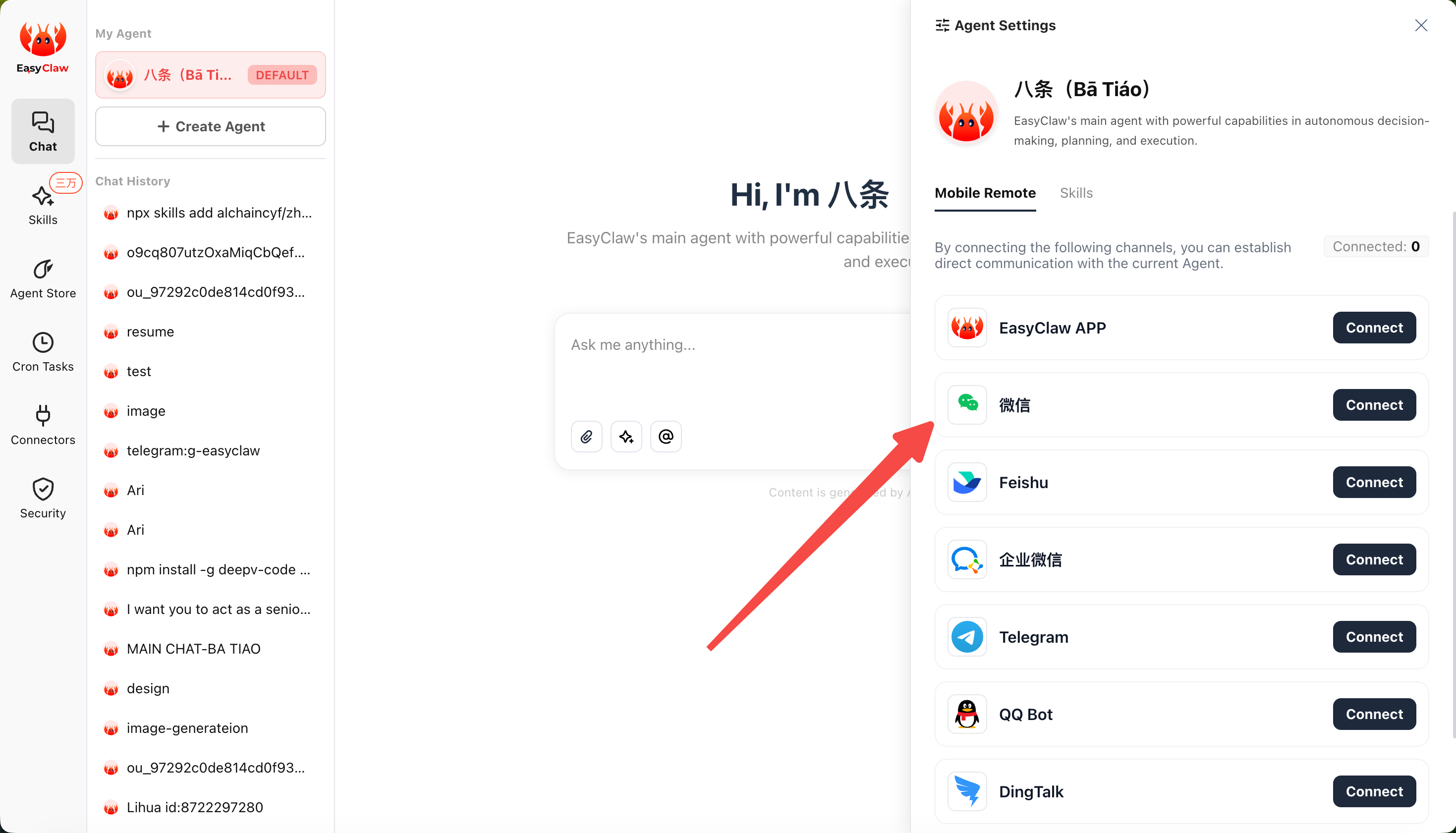
Open WeChat Channel Config
In EasyClaw desktop, click Mobile Remote → select the WeChat channel. A dedicated QR code will appear.
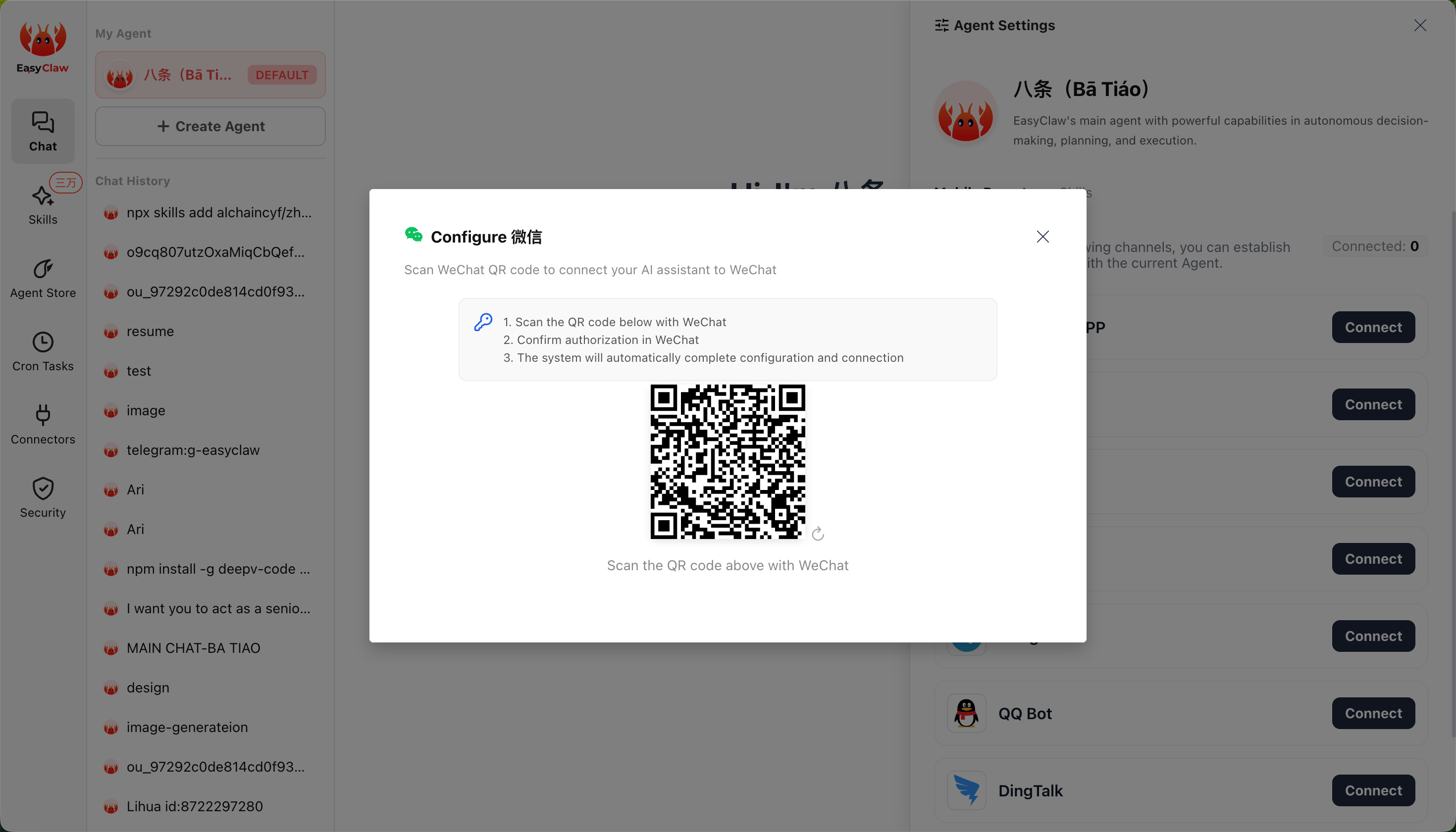
Scan with WeChat
Use WeChat on your phone to scan the QR code.
Authorize in WeChat
Follow the WeChat prompts to complete authorization.
Connection Completes Automatically
The system will finish the setup automatically. Once connected, you can send commands to EasyClaw directly from WeChat.
Send a message in WeChat and EasyClaw will automatically execute the action on your computer and reply with the result.
The WeChat channel's conversation context is independent from the desktop and other channels. To share important info across channels, ask the Agent to write it to MEMORY.md.