Connect X (Twitter) to EasyClaw
Link your X account to EasyClaw so you can manage your X presence right from your AI assistant. Just authorize the connection on the X website and you're good to go.
• EasyClaw is installed and running on your computer
• You have an X (Twitter) account
• Your network allows access to X (Twitter)
Setup Steps
Find X (Twitter) inside EasyClaw
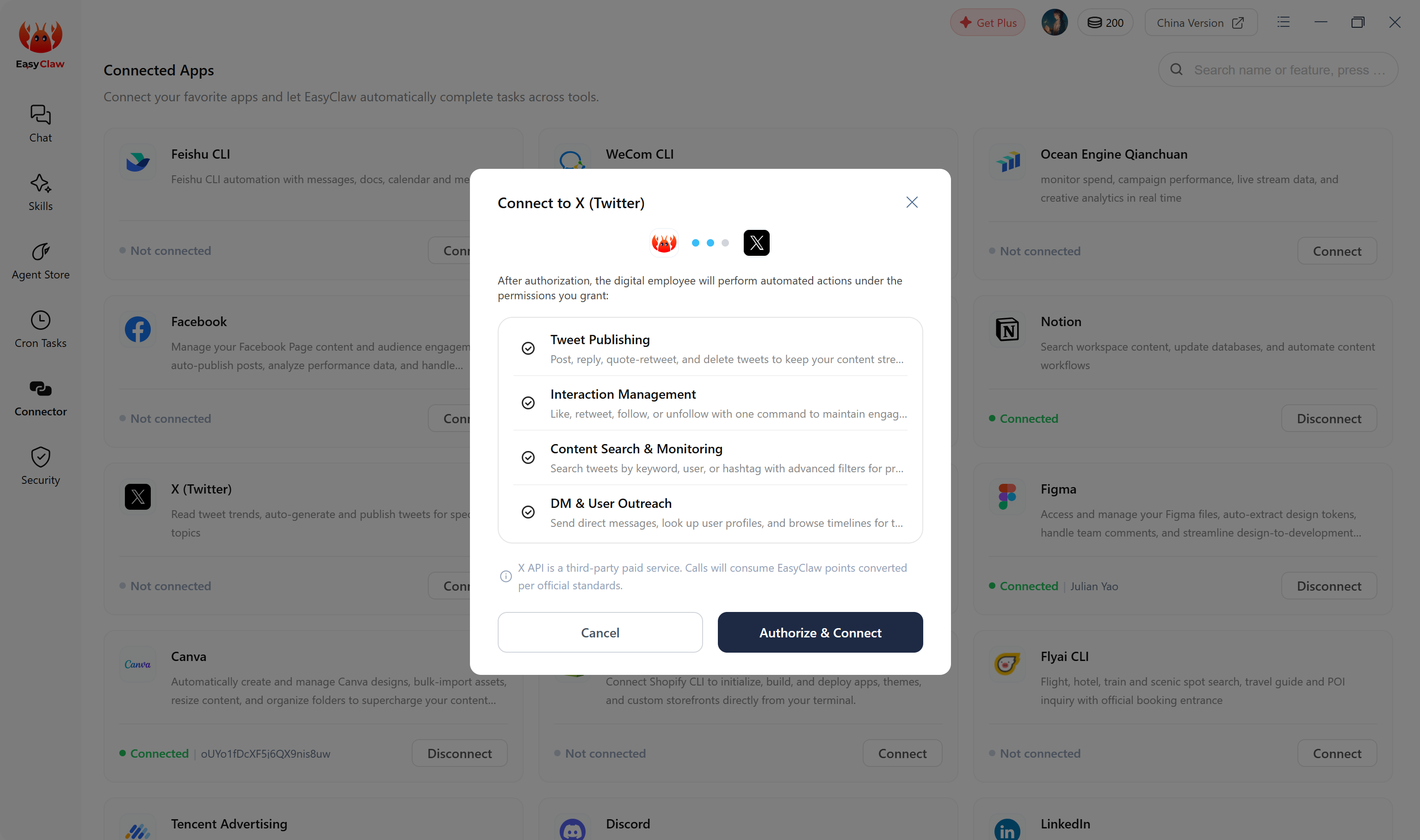
Open EasyClaw → click Connector in the left sidebar → choose X (Twitter) → click Authorize & Connect.
Authorize on the X website
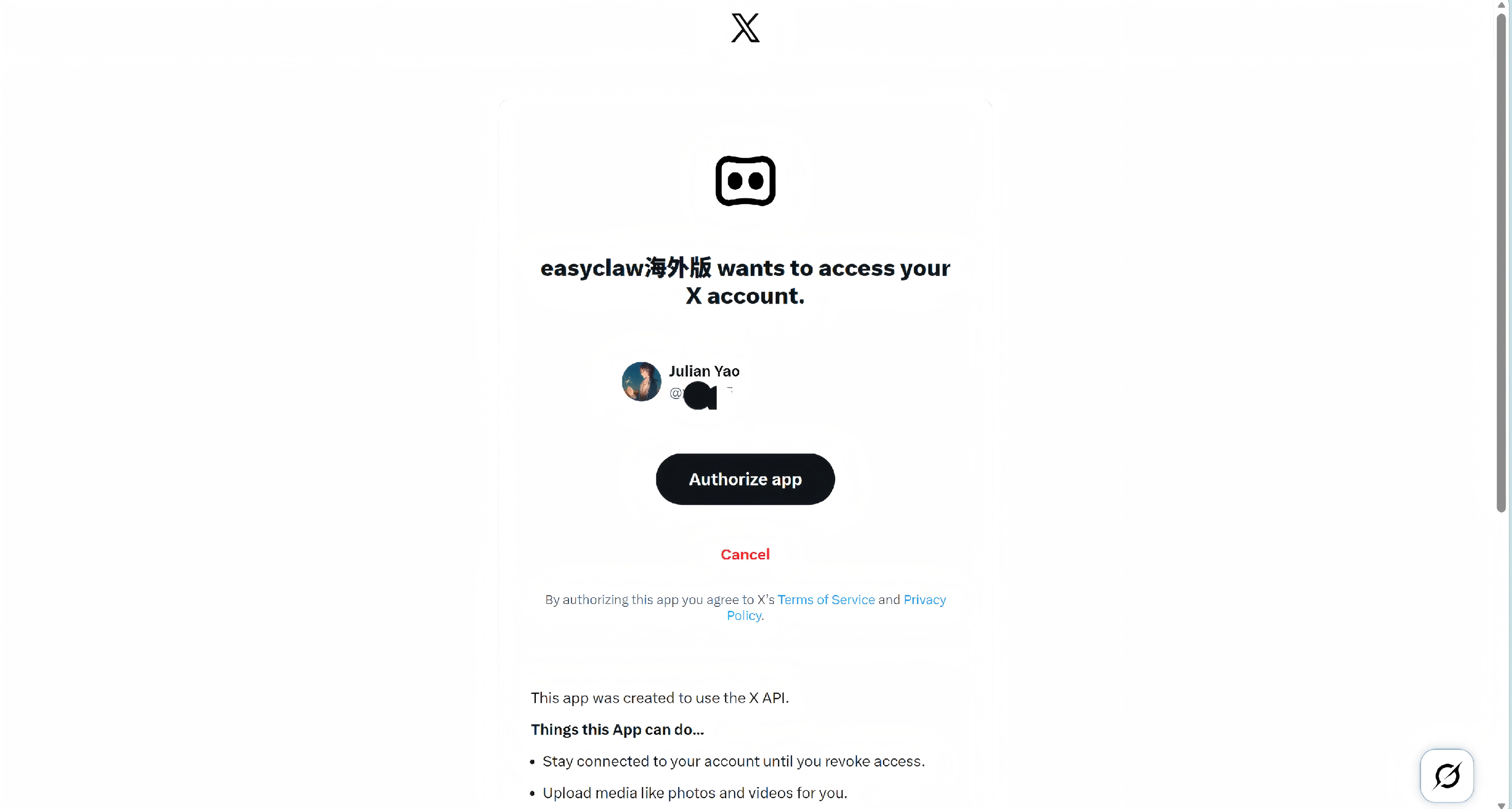
You'll be taken to a new page. Sign in to your X account, then click Authorize APP to grant EasyClaw access.
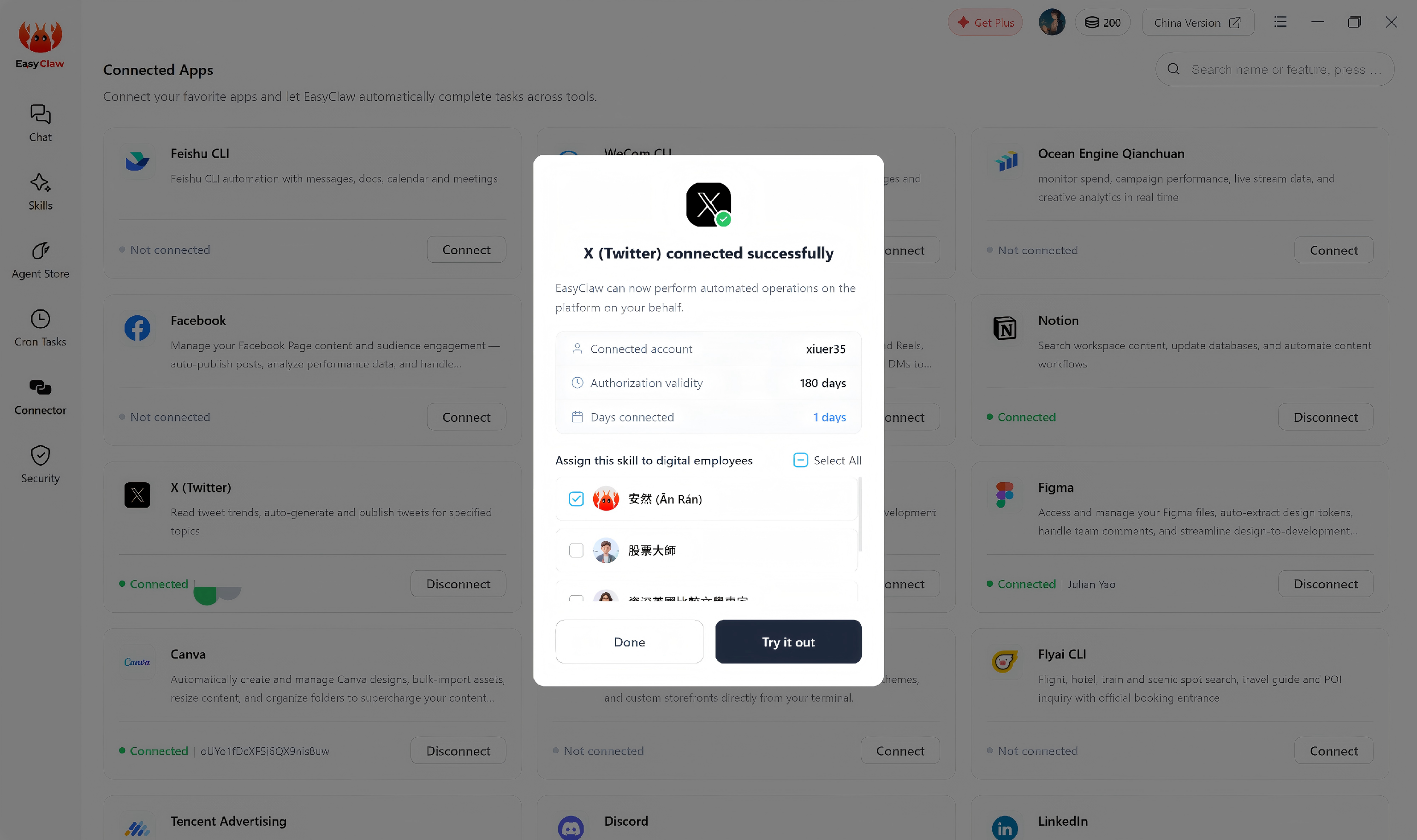
After that, head back to EasyClaw and confirm by selecting the AI employee you want to connect.
Ask EasyClaw to access your X (Twitter) account. If it replies normally, the connection was successful — you can now manage your X presence right from EasyClaw.